


Custom Photo Blanket with Text Design Guide
You've chosen the photo, written the message, and opened the customization tool. Then the practical questions appear: Will the faces stay sharp? Can someone read the text from across the room? Will the colors survive washing? A custom photo blanket with text succeeds when the emotional idea and the production details work together. The image creates recognition, while a name, date, lyric, or short message gives the gift a personal meaning that an image alone may not communicate.
The Emotional Impact of Personalized Gifting
A family photo can make someone smile, but adding “Grandma's favorite people” or a meaningful date gives the recipient a reason to keep returning to it. The wording doesn't need to be elaborate. A few carefully chosen words can identify the relationship, preserve an occasion, or turn a collection of snapshots into a story.
That emotional role fits the direction of the personalized gifting category. The global personalized gifts market is estimated at USD 34.03 billion in 2026 and projected to reach USD 61.66 billion by 2035, with a 6.7% CAGR over the forecast period, according to Business Research Insights' personalized gifts market report. A separate report estimates the category at USD 33.49 billion in 2026, following USD 30.79 billion in 2025, and forecasts an 8.7% CAGR from 2026 to 2030 in The Business Research Company's market coverage.
Match the message to the moment
November and December naturally suit holiday gifting. A blanket can combine family portraits, pet photos, and a short seasonal message without feeling like a disposable novelty. Major holiday calendars and gift campaigns cluster around Veterans Day, Thanksgiving season, Hanukkah, Christmas, and Kwanzaa during these months, which makes Custom Photo Blankets a practical choice for seasonal shopping, as reflected in holiday blanket gifting guidance.
April and May shift the emphasis toward Mother's Day. A design featuring children's names, grandchildren's names, or a family photograph can make the blanket feel intimate rather than merely decorative. Mother's Day falls in May in major markets such as the United States, and Mother's Day blanket listings show how sellers position custom blankets around names and family photos.
Practical rule: Write the message for the person receiving the blanket, not for the customization screen.
Some families want a photo blanket with a cleaner, handmade feel and may also explore a DIY memory quilt from shirts. That approach preserves fabric memories, while a printed blanket gives you more freedom with photography, typography, and full-surface composition.
Selecting and Preparing High Quality Images
A customer may upload a clear phone photo, add a message, and still receive a blanket with soft faces or cramped edges. The problem usually begins with the source file and crop, not the text tool. Fabric printing makes blur, compression artifacts, and tight framing easier to notice.

Start with the file, then judge the composition
Some custom blanket makers specify a minimum file size of 500 KB and accept JPG, PNG, EPS, SVG, and PDF files. Their pixel recommendations vary by blanket dimensions, as explained in the custom blanket upload FAQ. File size is only an initial check. An unusually small file usually warrants finding the original rather than enlarging the download.
For sublimated polyester fleece, prepare artwork at about 200 DPI at the final size. Fine-detail layouts can benefit from 300 DPI, while print resolution below about 150 DPI can produce visibly soft edges, according to technical guidance on printed fleece production. DPI has meaning only at the intended physical dimensions. A photo can look sharp on a phone and blur after it is expanded across a blanket.
Use this preparation sequence:
- Choose the largest original. Export from the camera, phone library, or editing application instead of downloading a compressed social-media copy.
- Check faces at full size. Inspect eyes, hair, and small facial features. Smearing in those areas will remain visible after text is added.
- Crop before uploading. Keep heads, paws, and important objects away from the outer edge. Leave breathing room around each collage tile.
- Avoid heavy filters. Strong smoothing removes skin and fur detail. Extreme shadows can turn dark clothing into a solid block.
- Reserve open space for words. A bright wall, sky, plain shirt, or calm bedding area gives lettering a readable background without covering the subject.
For a text-led design, choose the image and message together. A busy group photo may work well as a full-bleed background, but a short phrase needs a calmer area or a separate text panel. Check the cropped design in the blanket's final proportion, not only in the square phone preview. If the tool marks an upload as low quality, replace the file before styling the message. Use this guide to check photo resolution for printing when the result looks uncertain.
Typography and Layout Strategies for Fabric
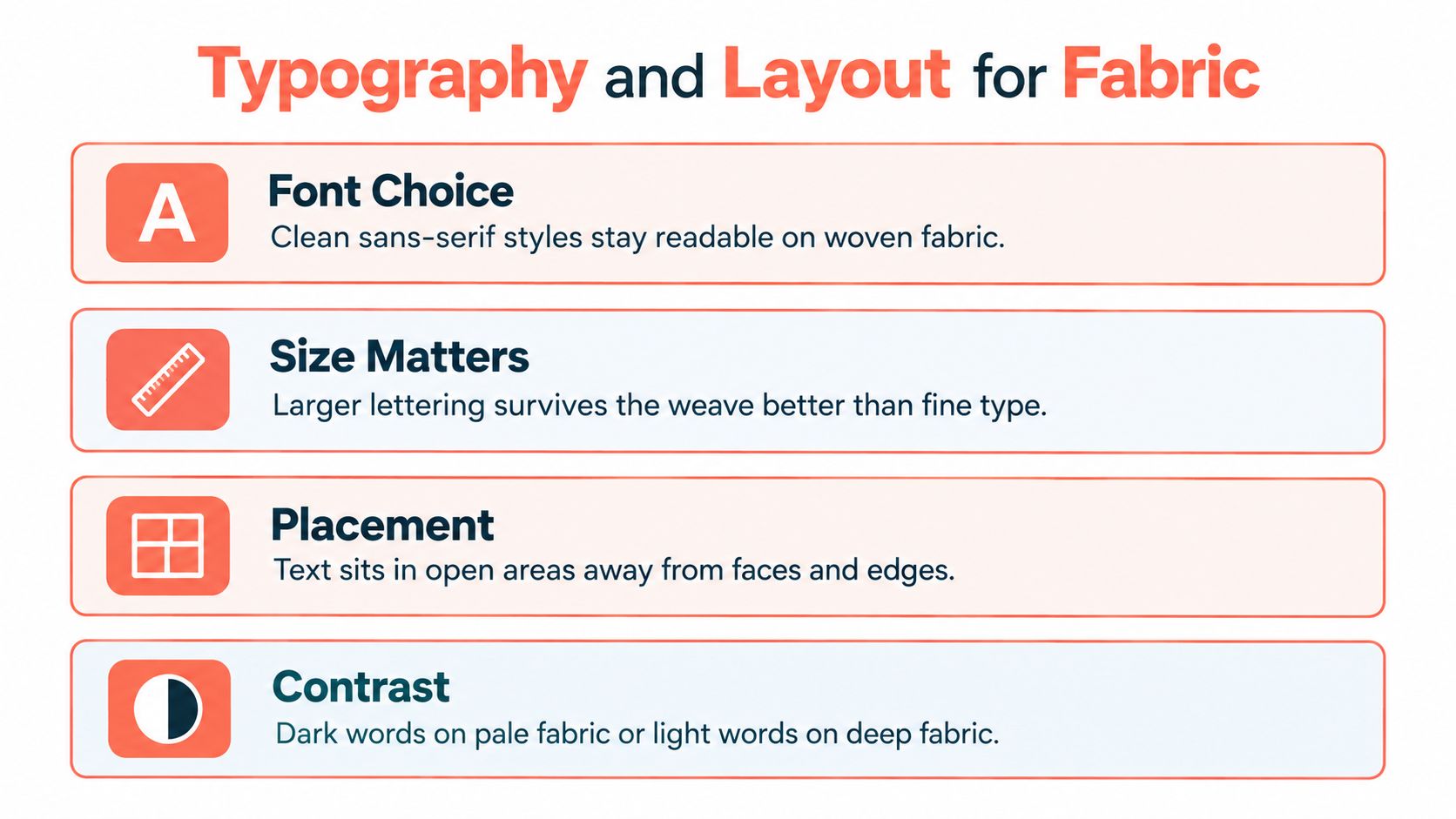
Screen typography can rely on crisp pixels and close viewing. Fabric introduces a weave, soft surface, and viewing distance, so thin decorative lettering often loses authority after printing. The safest choice for a custom photo blanket with text is a clean, bold typeface with clear letter shapes and enough spacing to remain readable when the blanket is folded or draped.
Build around the blanket size
Many customization tools provide three size options, commonly throw, twin, and queen, and allow single-photo designs, multi-photo collages, and custom text, as shown by fleece blanket personalization options. Don't treat those sizes as interchangeable canvases.
A throw can support one dominant photograph and a short caption. A twin gives you more room to separate several images, while a queen can carry a broader collage or a text band that acts as part of the composition. The larger the layout, the more important it becomes to establish a visual hierarchy instead of allowing every photo and phrase to compete.
Make the wording earn its space
Short phrases generally print and read better than paragraphs. Consider:
- A first name or family name
- A meaningful date
- A brief “I love you” or thank-you message
- A short lyric or phrase tied to the relationship
- A location or occasion paired with the image
Use text as a framing device. In a multi-photo collage, place the message in a clean border, beneath the image grid, or across an intentionally quiet panel. Avoid putting words over eyes, hands, pet faces, or the key action in a photograph.
Layout test: Hide the text layer. If the photos already feel unbalanced, adding lettering won't fix the underlying composition.
Contrast determines whether the message survives real use. Dark words work on pale fabric, and light words work on deep fabric, but a busy photograph needs more help. A subtle solid panel, shadow, outline, or translucent background can separate the type from the image without making the blanket look like a digital poster.
Use a simple sans-serif style for names and captions unless the design has a strong reason for something more ornamental. Check every lowercase letter, punctuation mark, and accent at the tool's largest preview. For additional ideas on pairing visual memories with wording, see this guide to beautiful pictures and quotes.
Understanding Sublimation and Color Contrast
A photo blanket can look balanced in the editor and lose clarity after printing if the fabric, image, and lettering are treated as separate decisions. Sublimation embeds ink into the fiber instead of leaving an opaque layer on top. It performs best on polyester, particularly white or very light fleece. Cotton and dark bases are harder to print because the dye bonds with polyester fibers, while the base color influences saturation and text definition.
A white editing canvas can therefore give a false impression of brightness. Sublimation adds color rather than covering a dark surface with solid, bright lettering. Confirm the polyester content and base color before refining the design.
Protect the text from the photograph
Adjust the photo in the customization tool with restraint. Open muddy shadows enough to reveal detail, preserve important highlights, and create separation between the message and nearby objects. Too much brightness can wash out faces and textures. Excessive contrast can make skin tones and dark clothing look harsh.
Keep color matching separate from creative grading. The Department of Vibe color matching guide explains that distinction clearly. For a photo blanket, the target is recognizable people, objects, and lettering, not maximum color intensity. On a busy image, place text over a quieter area or add a restrained outline, shadow, or contrast panel. A light panel behind dark type, or a darker panel behind light type, usually protects readability better than multiple decorative effects.
Production sequence: Verify the polyester base, proof the artwork at final dimensions, then press the finished design.
Prepare the file at a resolution appropriate to its final size. About 200 DPI is a practical working target, while 300 DPI gives small lettering and detailed photo layouts more edge definition. Files below about 150 DPI may produce visibly soft text and image edges. This matters especially for short names, dates, and fine letterforms, where a small loss of sharpness can make a word look fuzzy.
Sublimation also rewards restrained color correction. Compare skin tones, dark clothing, and lettering after adjustments rather than judging the brightest area alone. For a concise explanation of how dye transfer affects fabric color, see this sublimation printing explanation for fabric. A professional custom photo blanket with text is designed for the material from the start, not placed onto it at the end.
Proofing Your Design and Placing the Order
The final preview is your last opportunity to catch a mistake before production. Don't rely on the attractive thumbnail alone. Open the largest available view and inspect the design as if you're already holding the finished blanket.
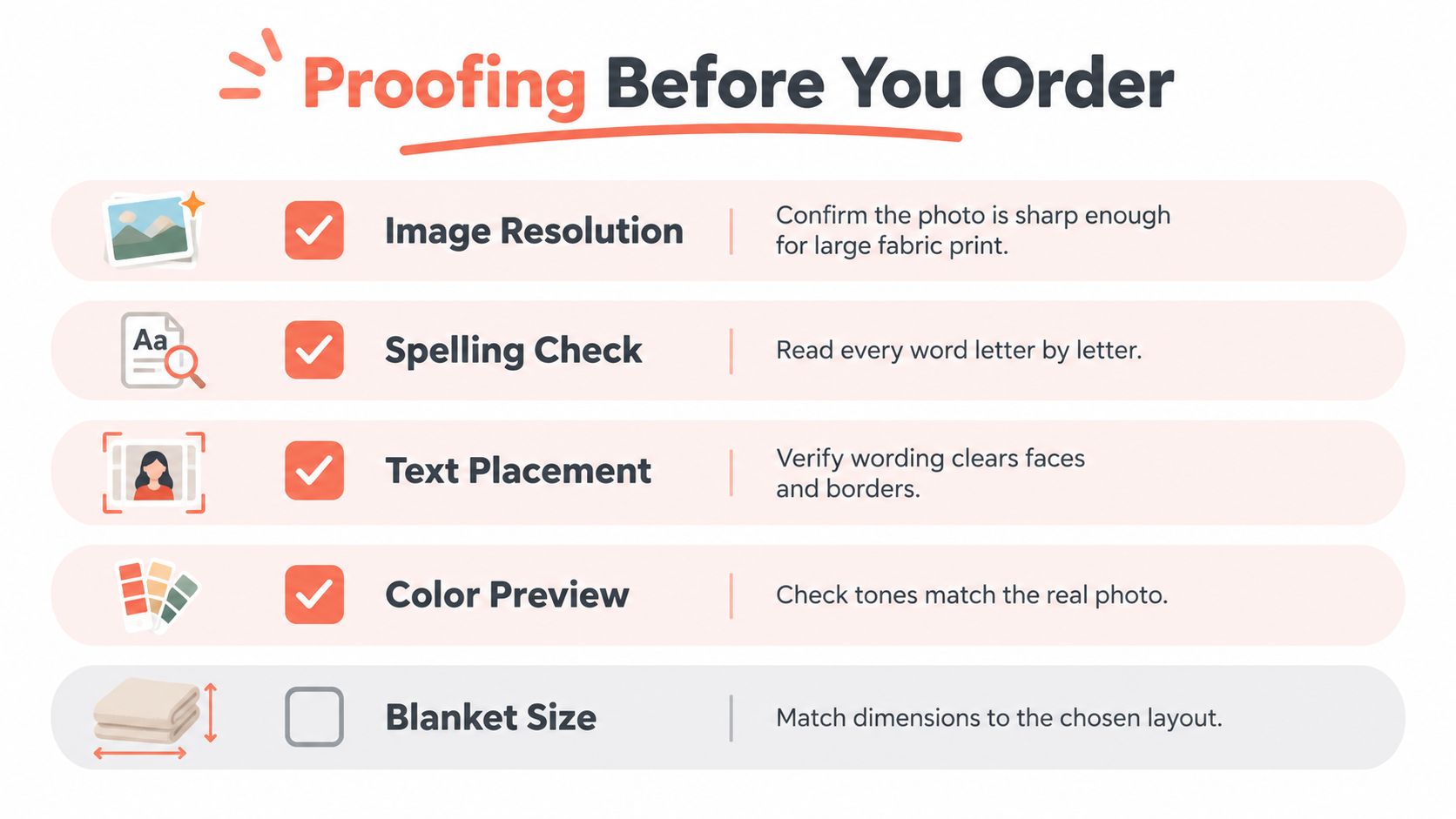
Run a five-point preflight
- Image resolution: Confirm that the photo is sharp enough for the selected dimensions. Replace any upload that looks soft before adding decorative elements.
- Spelling check: Read every word letter by letter. Names, dates, apostrophes, and capitalization deserve their own review.
- Text placement: Make sure the message clears faces, paws, hands, borders, and any area likely to feel crowded after cropping.
- Color preview: Compare the preview with the original photo. Look for skin tones that have become unnaturally gray, dark, or oversaturated.
- Blanket size: Match the dimensions to the layout. A design built for a throw may need more spacing and stronger hierarchy on a twin or queen blanket.
Review the physical use case
Ask where the recipient will use the blanket. A decorative throw can tolerate a more central composition, while an everyday family blanket benefits from a layout that remains attractive when folded. If the recipient is a parent, pet owner, or grandparent, keep the most important face or message away from the area most likely to be hidden during normal use.
Order timing matters too. November and December shoppers should leave room for production and shipping rather than waiting until the busiest holiday days. April and May shoppers should apply the same discipline for Mother's Day, particularly when the design requires several uploaded images or careful text placement.
Read the personalization summary before checkout and save a screenshot of the final preview for your records. A clean approval process protects against preventable errors and makes the finished Custom Photo Blanket feel considered from the first upload to the delivered package.
Care Instructions for Long Lasting Durability
Sublimated polyester can remain colorful through 50+ wash cycles with proper care, and common retail targets set wash-fastness at ISO 105-C06 grade 3–4 minimum. A grade of 4 or above is generally considered durable for normal laundering, according to textile care guidance covering sublimated textile durability.
Those benchmarks assume the owner avoids the main sources of damage. Heat, bleach, aggressive detergents, and rough laundering can accelerate fading and weaken the visual clarity of small lettering. The print may be embedded in the fiber, but the textile still needs gentle treatment.
Use a low-stress washing routine
Wash the blanket inside out in cold water on a gentle cycle. Use a mild detergent and skip bleach, fabric treatments that contain harsh chemicals, and abrasive washing conditions. Turning the blanket inside out reduces direct friction against the printed surface and helps protect the soft handle of the fabric.
For drying, choose low heat or air drying. High temperatures can stress both the fabric and the color appearance, especially when the blanket is washed repeatedly. Remove it promptly when dry, smooth the surface, and fold it without pressing a hot iron directly over the image or lettering.
Keep the care label with the blanket and tell the recipient how the design was printed. That small explanation is useful for gifts, because recipients may assume a photo blanket can be treated like any ordinary household throw. Anyone comparing presentation ideas for a photo-focused gift can also view Liz by Design's photo boutique for visual inspiration around preserving personal imagery.
Care priority: Cold washing, gentle handling, and low-temperature drying protect both the photograph and the words that make the blanket personal.
That Blanket Co offers Custom Photo Blankets in throw, twin, and queen sizes with photo collage and personalized text options, along with complementary pillows and machine-washable fabric choices. Choose your clearest images, write a concise message, proof the contrast and spelling, then visit That Blanket Co to create a keepsake suited to your next holiday or Mother's Day gift.