


Personalized Pet Photo Pillows: A Buyer's Guide for 2026
You've found a photo that captures your pet perfectly: the tilted head, the familiar expression, the ears that never quite match. You can already see it on the living room sofa, but the upload screen raises a harder question. Will that face still look like your pet when it's printed on fabric?
Personalized pet photo pillows work best when you choose for print readiness, not just file size. Lighting, framing, fabric texture, and the printing method all affect the result. A large image can still produce a disappointing cushion if the eyes disappear into dark fur or the seam cuts across an ear.
What a Personalized Pet Photo Pillow Actually Is
A guest sits on your sofa and immediately recognizes the dog on the cushion beside them. That's the appeal of a personalized pet photo pillow: a pillow cover printed with a photograph you upload, often finished with a zipper and sold with an insert, although cover-only options also exist.
Think of it as a framed photograph you can lean against and hug. Instead of placing the memory on a shelf, you put it where people sit.
The product sits somewhere between home decor and a keepsake. In July 2023, Pew Research Center reported that 62% of Americans owned at least one pet, while approximately half of U.S. pet owners considered their pet as much a part of the family as a human household member.
Choose the purpose before the design
- Everyday decor: A portrait with a restrained background can sit comfortably beside existing sofa cushions.
- A personal gift: A familiar expression often matters more than an elaborate border or a long message.
- A memorial piece: A single, recognizable portrait can preserve a companion's presence without overwhelming the design.
For a household with several animals, a collage lets everyone share the space. Separate pillows give each pet a larger portrait and avoid squeezing faces into small panels.
Custom Photo Blankets offer the same idea in a larger format. A throw suits someone who wants a photograph across their lap, while a pillow creates a more compact focal point on a chair or bed.
Start with recognition: Choose the expression the recipient knows, not simply the photograph with the prettiest background.
The practical decisions are fabric, printing method, size, photo preparation, care, and the date the finished gift needs to arrive.
Fabric Choices Compared at a Glance
Pillow fabrics compared by feel, print sharpness and care
| Fabric | Feel | Print sharpness | Best for | Care notes |
|---|---|---|---|---|
| Minky (polyester plush) | Ultra-soft, lightweight, smooth | Vivid color; fine fur detail can soften on a deep pile | Kids' rooms, pet lovers, soft gifts | Wash cold on gentle, air dry |
| Sherpa (fleece with sherpa backing) | Thick, cloud-like warmth | Bold shapes print well; fine detail can blur on a textured front | Winter sofas, cozy holiday gifts | Wash cold on gentle, low-heat dry if permitted |
| Woven jacquard | Textured, firm, classic | Limited detail; best for simple graphics or silhouettes | Heirloom look, formal rooms | Gentle wash if permitted; follow the care label |
| Cotton or linen blend | Crisp, breathable, matte | Sharp, natural-looking skin and fur tones with a suitable print process | Everyday decor, lighter photos | Cold wash, low-heat dry if permitted |
These are starting points, not substitutes for the finished product's care label. A coating, backing, zipper, or decorative trim can change how a cover should be cleaned.
Fabric determines touch and surface texture; the printing process determines how the image reaches that surface. A soft-feeling pillow doesn't automatically produce a sharply defined portrait.
Match the surface to the photograph
For a short-haired pet with clear eyes and visible whiskers, start with a smooth polyester or cotton-blend front. A relatively even surface gives small features a better chance of remaining distinct.
For a cushion that children will cuddle, or a winter gift chosen mainly for warmth, minky or a fleece-and-sherpa construction may be more appropriate. Accept that a deeper pile can soften the photograph as well as the feel.
Check what the seller means by sherpa pillow. A smooth printed front with sherpa backing behaves differently from a portrait printed onto a heavily textured face. Likewise, a linen-look fabric may be synthetic rather than an actual linen blend.
Ask about the front, not just the pillow
- Front fabric: What material will carry the photograph?
- Polyester content: Is the printable face polyester-rich, a blend, or a natural fiber?
- Evidence before ordering: Can you see a printed sample, a close-up photograph of the fabric, or a design proof?
A digital proof helps with placement. A physical sample helps with texture and printed appearance. They answer different questions, so don't treat them as interchangeable.
How Printing Methods Affect Photo Sharpness
A photograph can look crisp on a phone and softer on cloth because fabric isn't a backlit screen. Fibers, texture, ink chemistry, and the original photograph all influence what you see.
This comparison shows the main differences between the available approaches.
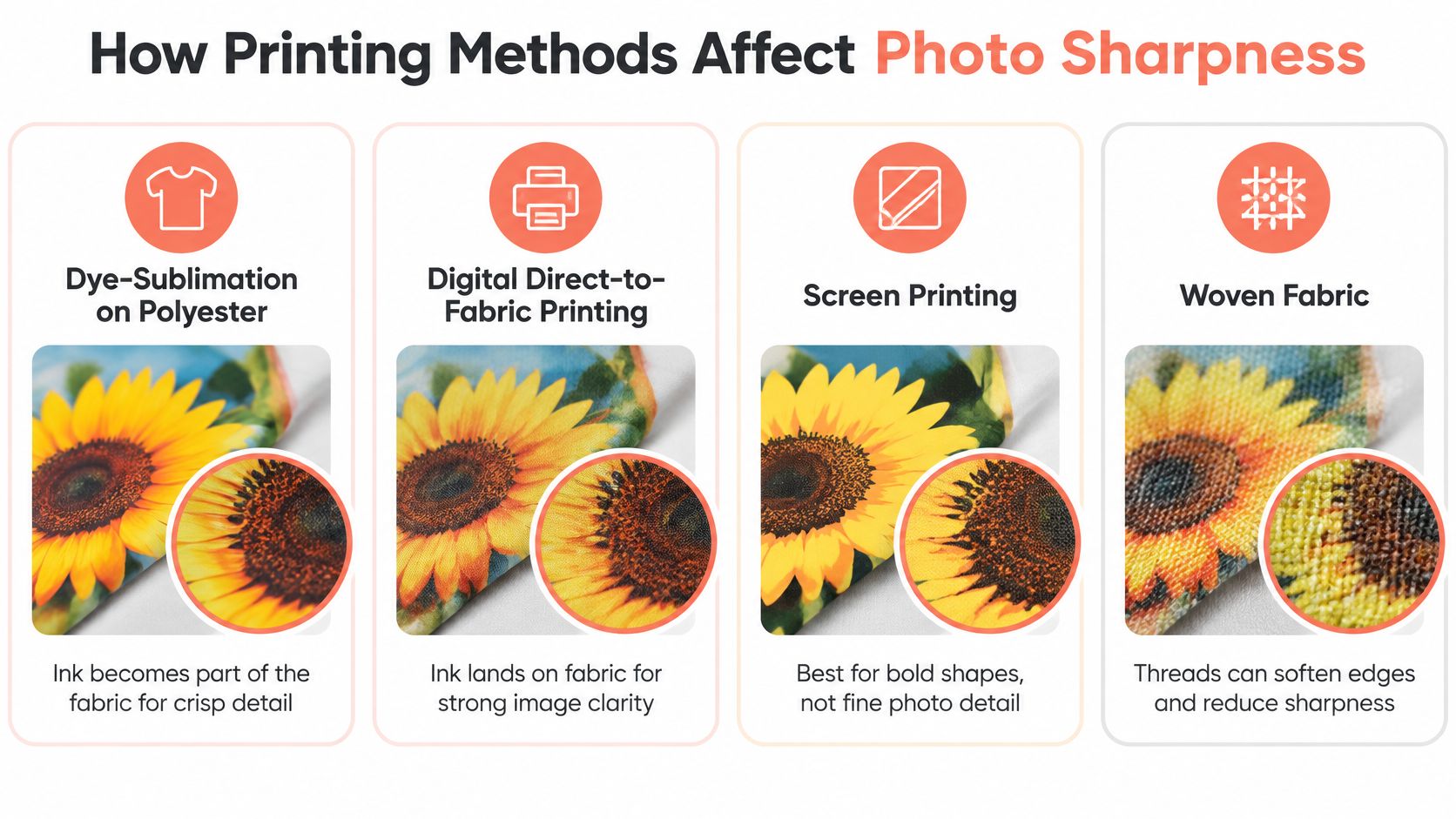
Print methods and the detail to expect from each
| Method | How it works | Detail to expect | Watch for |
|---|---|---|---|
| Dye-sublimation on polyester | Ink turns to gas and bonds into the fibers | Sharp, vivid images with good potential wash durability | Standard sublimation needs a suitable polyester surface; natural fibers aren't a direct substitute |
| Digital direct-to-fabric | Inkjet sprays ink directly onto the cloth | Fine gradients and good fur detail on a suitable surface | Dark fur can look flat without contrast; results depend on ink and fabric |
| Screen printing | Layered ink pushed through stencils | Bold solid colors | Photos usually need simplification; delicate fur detail can be lost |
| Woven jacquard | Colored yarns woven into the image | Textured, soft-edged look | Thread structure limits small details and subtle transitions |
For a closer explanation of heat, dyes, and compatible fibers, see this guide to sublimation printing on fabric.
What goes wrong with different coats
Black and dark brown fur can become a flat shape when the original shadows contain little visible detail. Look for separation between the eyes, muzzle, chest, and ears rather than assuming the printer can recover them.
White and cream fur can lose its edges against a pale background. A slightly darker, uncluttered background gives the outline somewhere to stand out without turning the coat unnaturally gray.
Long-haired pets need separation between larger locks of fur. Tiny overlapping strands are especially vulnerable to softening on textured fabric.
A printer can reproduce the detail your photograph contains. It can't reliably restore an eye or ear that the camera never recorded clearly.
For photo-heavy pillows, dye-sublimation on a polyester-rich, relatively smooth front is a sensible starting point. Screen printing and jacquard are better considered graphic or heirloom-style choices rather than direct substitutes for a photographic finish.
Check whether the design tool previews the finished composition at the intended size. Before ordering matching pillows for a whole family, request a physical sample if a dark-coated pet is difficult to reproduce.
Pillow Sizes and Layout Styles to Choose From
Pillow sizes, usual layouts and best-fit subjects
| Size | Typical use | Layout that fits | Best for |
|---|---|---|---|
| 12 x 12 in | Small accent piece, desk or car | One tightly cropped face | One pet, close-up portrait |
| 16 x 16 in | Standard sofa and chair pillow | Single photo with margin around the pet | One pet, everyday sofa placement |
| 18 x 18 in | Larger accent, gallery of photos | Two or three panels or a small collage | A pair of pets or a family group |
| 20 x 20 in | Statement pillow | Full-bleed single photo | One large portrait, living room focal point |
| 12 x 20 in lumbar | Bench, bed or wide sofa | Side-by-side pets or a wide scene | Two pets, or a pet with a family setting |
Use these dimensions as layout examples, not a promise that every seller stocks every format. The important question is how much usable space remains after borders, text, and seam allowances.
Match the layout to the subject
A centered portrait suits a pet looking toward the camera. A full-bleed photograph can preserve a meaningful setting, such as a dog resting in its favorite garden spot, but it requires careful edge placement.
For a pair of pets, a wide lumbar layout gives each face room. A collage works when the photographs tell different parts of the story, but adding panels makes each individual image smaller.
Other options include:
- All-over photo with text: Keep the message away from eyes and facial markings.
- Name or monogram: Use a clear typeface that remains readable against the background.
- Star-map design: Treat the map as a decorative companion to a meaningful date, rather than squeezing it over the portrait.
- Kids' or nursery themes: Keep playful patterns secondary to the pet's face.
Check what arrives in the package
Some listings include a filled insert; others sell only the cover. Confirm both the cover dimensions and the recommended insert before checkout.
A slightly oversized insert can create a fuller shape, but excessive stuffing can strain the zipper and distort the printed face. For placement, choose a pillow that looks balanced against the sofa back rather than covering most of it.
How to Choose and Prep Your Pet Photo
Print readiness means checking the image after cropping and enlargement. The original file's size matters, but the usable detail inside the final composition matters more.
Use this visual guide as a starting point, then inspect the actual photograph closely.
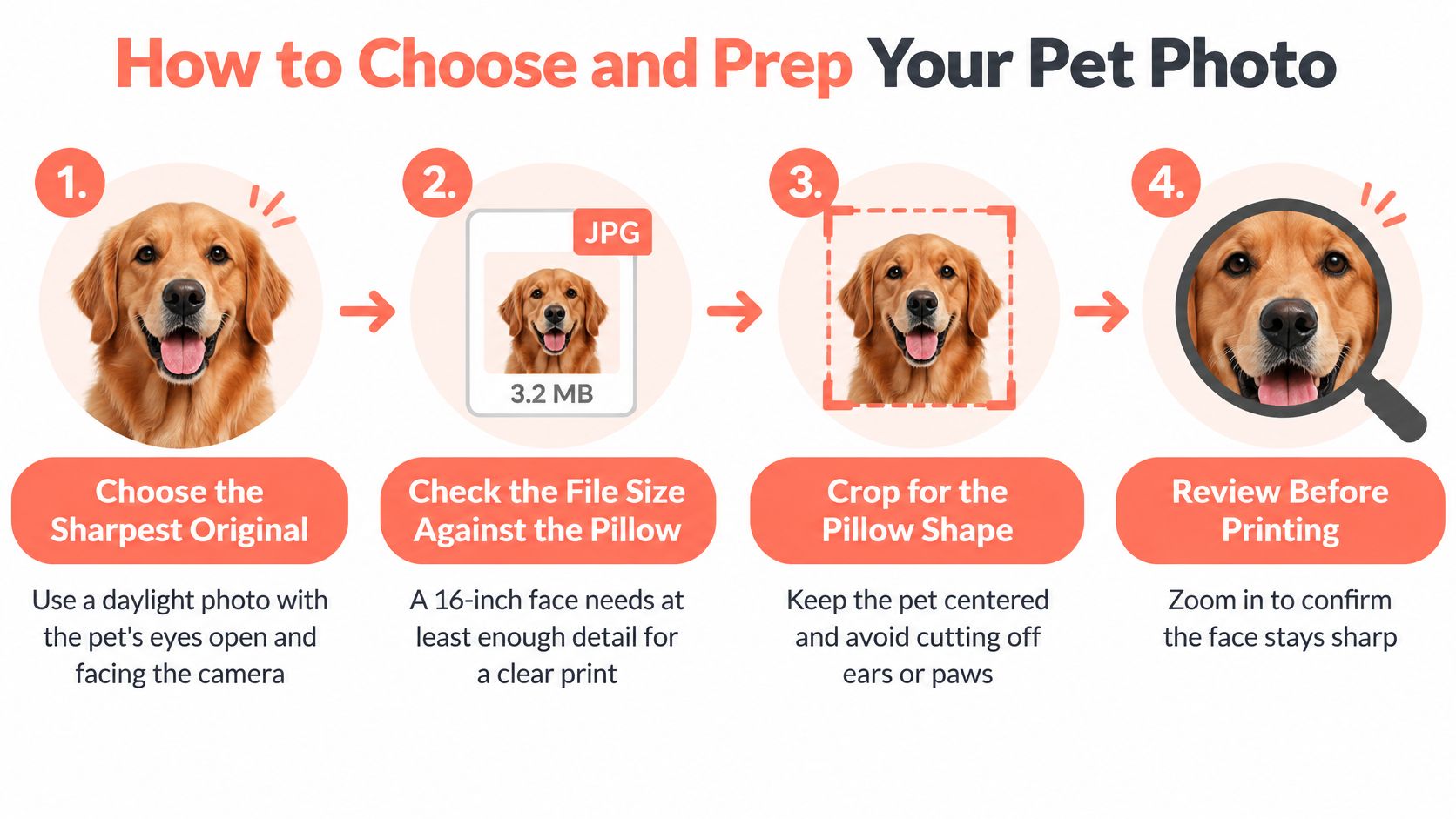
Start with the original and check effective resolution
- Choose the sharpest original. Use the camera file rather than a screenshot or an image downloaded from a messaging app. A daylight photograph with open eyes and a face directed toward the camera is an easy starting point. Zoom in on the eyes to check focus before considering filters or background effects.
- Match the pixels to the printed area. Following FESPA's digital-textile guidance, keep effective resolution well above 100 pixels per inch where possible; for a 16-inch face, about 1,600 × 1,600 pixels at 100 ppi is a lower-end reference, while roughly 4,800 × 4,800 pixels at 300 ppi supports sharper output. Enlargement spreads the source pixels over more fabric, reducing definition around whiskers, collars, and fur.
- Check the crop, not just the original dimensions. Cropping removes pixels. A large photograph may leave a much smaller usable image once you isolate the pet. The guide to photo resolution for printing explains how to assess that relationship.
Prepare the face, background, and margins
- Frame closely without trapping the pet against the edges. Remove unnecessary surroundings, but leave breathing room around ears, paws, and the head. Keep important features inside the seller's safe area so seams and trimming don't cut into them.
- Inspect difficult fur in ordinary light. For a dark-coated animal, choose a photograph where you can distinguish the muzzle from the cheeks. Avoid lifting shadows so aggressively that the coat becomes noisy or gray. For pale fur, check that bright areas still contain texture.
- Simplify distractions and balance multiple pets. A bright toy or patterned curtain can compete with the face. If background removal is available, inspect the result around whiskers and long fur. For a collage, choose photographs with similar eye levels and comparable face sizes so one animal doesn't unintentionally dominate.
Review before approving
- Inspect the final physical-size preview. Look for cut-off heads, clipped paws, awkward text, and faces too close to stitching. Check whether the tool warns about low resolution or cropping; if it doesn't, inspect the preview yourself and ask the seller about anything unclear.
Approval check: A generous file size isn't permission to skip the preview. Lighting, contrast, and framing decide whether the finished portrait feels recognizable.
If the only meaningful photograph is imperfect, preserve the important expression and choose a simpler layout. Don't hide a beloved face behind decorative elements in an attempt to disguise technical flaws.
How to Care for and Clean Your Pillow
Read the care label first. The front fabric, print process, backing, and construction determine which cleaning method is safe.
A removable cover makes it easier to clean the printed surface separately from the filling.
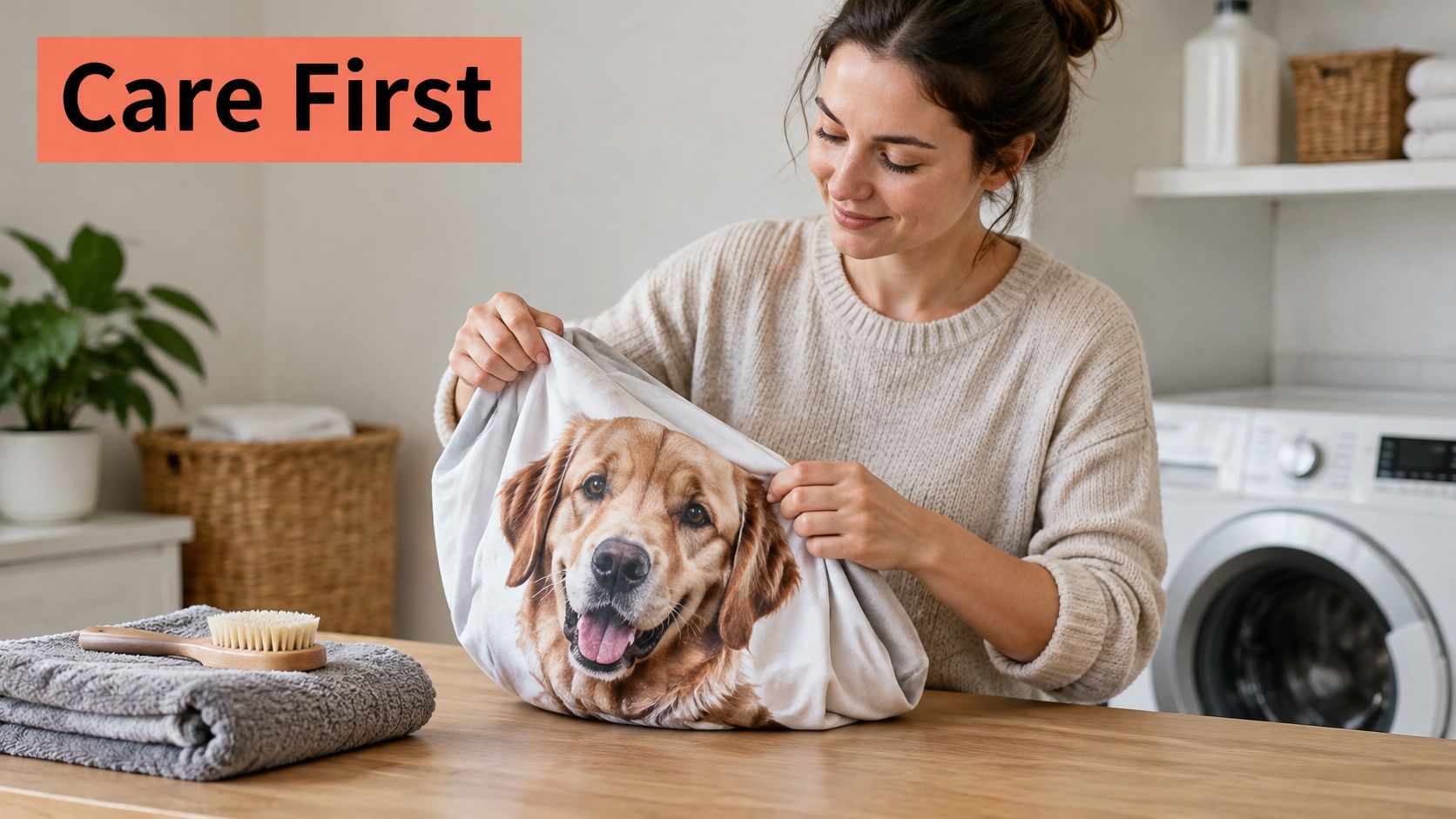
Reduce friction and unnecessary heat
- Prepare the cover: Remove the insert, turn the cover inside out, and close the zipper so its teeth are less exposed.
- Wash gently: If machine washing is permitted, use cold water, a gentle cycle, and mild detergent.
- Skip harsh additives: Avoid bleach and fabric softeners unless the care instructions expressly permit them. Softener can leave a coating on fibers.
- Dry conservatively: Air dry or use low heat only when allowed. Don't place a damp cover over its insert.
- Treat small stains locally: Blot with cold water and mild soap after testing a hidden area. Rubbing can spread the stain and abrade the surface.
- Limit direct sunlight: Keep the pillow out of a permanently sunlit window when it isn't being used.
Washing combines detergent, water, mechanical action, rinsing, and drying. Reducing repeated heat and rubbing helps protect both the print and the cover's shape.
For an additional visual reference, this video can accompany your care-label checks.
Ask what durability claims actually mean
Ask whether the seller has laundering colorfastness results under a named method. ISO 105-C06:2010 tests color resistance using a reference detergent; its single-wash test approximates one laundering, while a multiple-wash test can, in some cases, approximate up to five launderings at temperatures not exceeding 70 °C.
Those are test conditions, not washing instructions for your pillow.
Ask whether testing covered the actual cover material and finished seams, rather than an unrelated fabric swatch. A fade-resistance claim without test conditions doesn't tell you how the product was assessed.
After washing, compare dark fur, pale backgrounds, and saturated colors with an earlier photograph of the pillow. That gives you a more useful reference than memory alone.
Gift Occasions and When to Order
November and December are holiday-gifting months. The National Retail Federation's 2024 holiday forecast projected seasonal spending of $979.5 billion to $989 billion, with approximately $641 per person on gifts.
A pet portrait pillow belongs in that conversation as a recipient-specific keepsake, not another seasonal decoration. Choose the photograph around the person opening the package: a grandmother's constant canine companion, a coworker's much-discussed cat, or the family dog everyone misses.
Gift occasions, ordering windows and recipient ideas
| Occasion | Window | Order by | Recipient and idea |
|---|---|---|---|
| Holiday gifting | November to December | Early December as a planning target for Christmas, subject to the seller's cutoff | Family, friends or coworkers with a pet photo |
| Mother's Day | April to May | Late April as a planning target, ahead of the second Sunday in May | Mother or grandmother with a family pet |
| Pet birthday or gotcha day | Year-round | Two weeks before the date as a starting buffer; confirm production and transit | Pet parent celebrating a companion |
| Memorial | Year-round, no fixed deadline | As soon as the photo is chosen and the recipient is comfortable | Family after a loss, often with a single portrait |
Work backward from delivery
These are planning targets, not guaranteed delivery promises. Allow time for photo upload, customization, proof review where offered, production, shipping, and a buffer for problems.
The National Retail Federation's winter-holiday FAQs note that most shoppers finish in December, with some still purchasing during the week before Christmas. Personalized products need more preparation than an item already sitting on a warehouse shelf.
Make April and May about Mother's Day
For Mother's Day, the National Retail Federation's 2026 survey projected that 84% of U.S. adults would celebrate, with $38 billion in spending and an average of $284.25 per person.
A pillow featuring a mother's or grandmother's pet can feel personal without requiring a formal family portrait. Custom photo blankets provide a larger coordinated option when relatives want to contribute to the same gift.
For birthdays and gotcha days, choose a playful expression or a favorite outing. For memorial gifts, ask gently whether a portrait would be welcome and let the recipient guide the timing.
If you're comparing recipient ideas, this collection of personalized gifts for pet lovers offers another starting point.
Pick Your Fabric, Size and Order Date
Choose the pillow your photograph can support, then build the gift around the recipient's home and deadline. A complicated design isn't an improvement if it makes the pet harder to recognize.
Use a short decision path before checkout:
- Choose fabric by use. Favor a smooth surface when the portrait is the priority, or a plush construction when touch and warmth matter more.
- Choose size by subject count. Give each face enough room, and avoid enlarging the pillow to fit more decorative elements.
- Approve the photograph. Confirm that the cropped file passes the resolution, facial-detail, and framing checks.
- Set the delivery requirement. Work backward from the gift date using the seller's current production and shipping information.
- Review the design before production. Check the proof or available preview, including names, spelling, image placement, and the edges.
Resolve the remaining questions before paying
Ask the seller what the front fabric is, what its polyester content is, and whether a printed sample or proof is available. If the answer only describes softness, you still need information about the printable surface.
Among personalized-gift options, That Blanket Co provides a photo-upload customization tool for creating complementary pillows and blankets. Move through the available design preview carefully, and confirm whether a separate approval proof is included before expecting one.
For a family contributing to the same recipient's gift, Custom Photo Blankets in throw, twin, and queen sizes can coordinate with a pillow using the same photograph. Check each crop separately, because an image that fits a square cushion won't automatically suit a rectangular blanket.
Keep the final choice simple: a recognizable face, a suitable fabric, and enough time to review the result before it's made.
Turn a favorite pet photograph into a personalized pillow or coordinated photo blanket with That Blanket Co. Visit the customization tool with your original image ready, compare the available formats, and check the crop and delivery details before placing your order.