


Photo Gift Christmas Ideas That Arrive in Time
It's early December, your list still has six names on it, and your phone holds hundreds of family photos you've been meaning to print all year. That's the normal starting point for a Photo Gift Christmas order, and it's workable if you decide in the right order. Pick the item first, match the photo to the person second, then work backward from Christmas Eve to a realistic order date.
Photo Gift Christmas Options at a Glance
You're standing in the kitchen with wrapping paper on the counter, a calendar that looks shorter every day, and relatives who all expect something personal. Scrolling your camera roll feels promising until you realize every gift type needs a different number of photos, a different crop, and a different amount of making time. Choosing the item first stops you from editing twenty photos for a gift that only uses one.
Photo gifts fall into five practical types for Christmas shopping. A blanket, a pillow, an album or photobook, an ornament, and a calendar each solve a different problem. Some live in daily use, some appear once a year, and some ask you to build a whole sequence of images before you can order.
Custom Photo Blankets are the most flexible option for a Christmas keepsake. One large photo filling the whole blanket works as a statement piece for a couple's wedding portrait or a grandchild's first birthday. A collage of several photos suits a family history better, with birthdays, holidays, and everyday moments arranged together. You can add a personal message to the design, so a date or short line becomes part of the gift rather than a tag that gets thrown away.
Picking by Recipient and Daily Use
Compare the five types by who receives them, what photos you need ready, and where the finished gift will live. That last question matters more than novelty. A gift folded into a drawer after Boxing Day has failed, however good the print looks.
Photo gift types for Christmas at a glance
| Gift type | Best recipient | Photo setup | Where it lives |
|---|---|---|---|
| Custom photo blanket | Parents, grandparents, couples | One large photo or a collage of several | Sofa or bed, used daily |
| Photo pillow | Kids, partners, teens | One clear photo, square crop | Chair or bed, used daily |
| Photo album or photobook | Grandparents, relatives who live far away | 20 or more photos grouped by a theme | Coffee table, read together |
| Photo ornament | Extended family, teachers, colleagues | One close-up face or pet portrait | Christmas tree, displayed each year |
| Photo calendar | Office teams, family kitchens | Twelve photos, one per month | Wall, seen all year |
A blanket or pillow earns its place through touch and warmth, so choose a photo the recipient will want nearby in February, not only during the holidays. An album asks for the most preparation because weak photos can't hide in a sequence of twenty. An ornament is the fastest to prepare, since one tight crop of a face or pet does the job, but it disappears into storage for most of the year.
A calendar spreads the work differently. You need twelve usable images, ideally one for each season, and a December photo that doesn't repeat the gift moment itself. It's a strong choice for a family kitchen, but a poor last minute choice if your photos are scattered across phones and laptops.
Quick rule: Choose the item that will be used or displayed every day, because that's where a photo gift earns its place after the holiday.
If you're still torn between two items for the same person, our guide to holiday gifting ideas for families walks through more recipient combinations. Don't order both to decide later. Personalized items can't be restocked, and splitting your photo preparation across two designs usually makes both weaker.
Start with the recipient who is hardest to buy for, assign them an item from the table, and write down how many photos that item needs. Do the same for the rest of your list before you open an editor. You'll know within ten minutes whether you're preparing five photos or fifty, and that number tells you how much calendar room you really have.
Matching a Photo Gift to Each Recipient
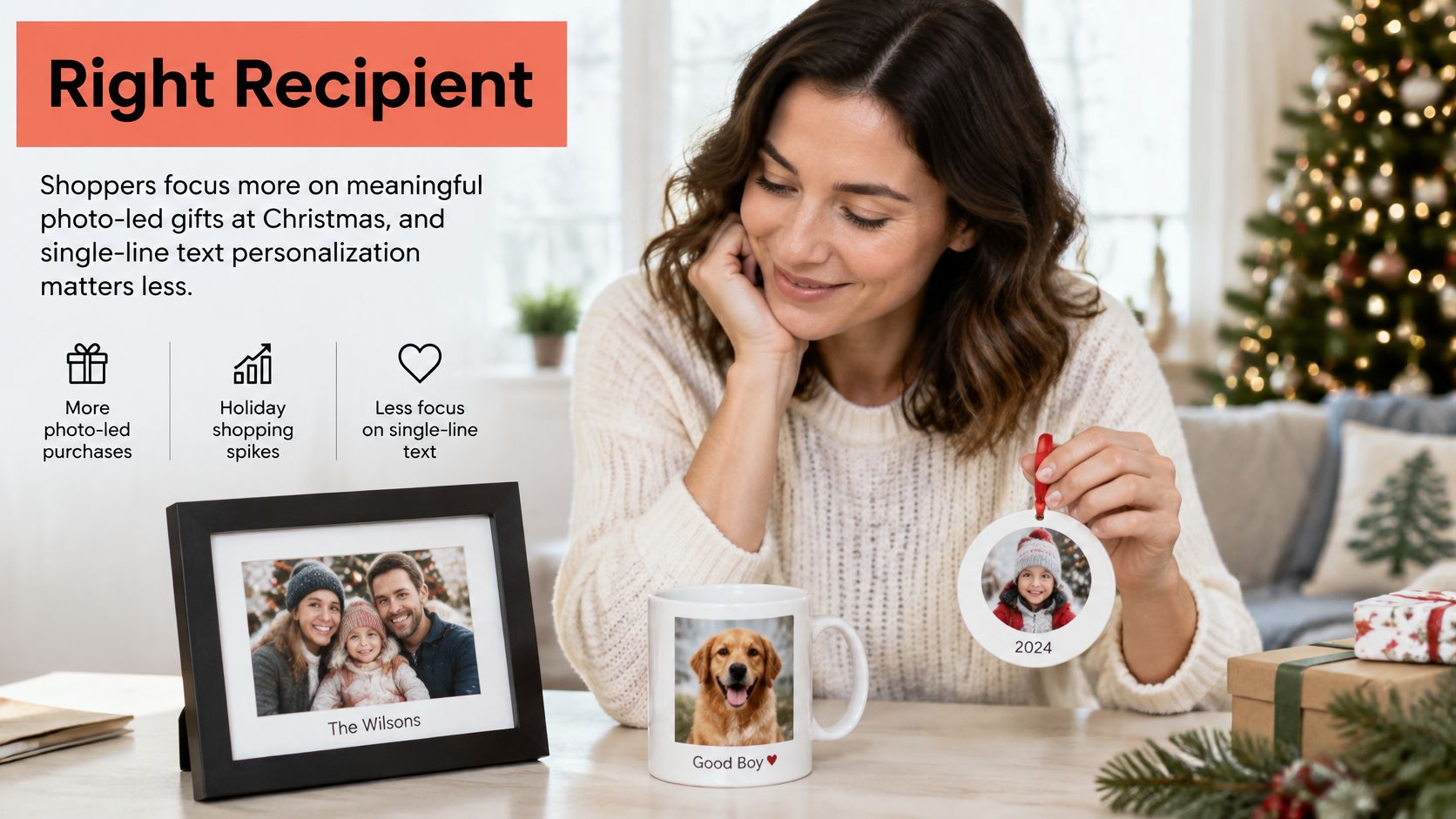
Holiday shoppers lean harder on images than on words. A personalization-industry analysis covering approximately 8.4 million product orders found products using an upload-photo option increased from 19.3% of purchases outside the holiday period to 23.3% during Christmas. Single-line text personalization declined from 43.4% to 40.0% in the same comparison. Faces, pets, and shared moments carry the gift, so pick the photo each person will recognize instantly.
The same analysis found November and December generated about 32% of annual gross merchandise value for personalized products during the July 2025 to June 2026 period. That concentration is why good photos get harder to source late. Relatives who hold the best group shots stop replying quickly once their own shopping starts.
One Strong Idea Per Person
Parents respond well to a collage of their children at different ages, arranged in date order. Start with the earliest clear photo you have and end with the most recent group shot. The progression tells the story without captions.
Grandparents usually want the grandchildren together in one frame. If no single photo includes everyone, use a collage with one portrait per grandchild at a similar crop size. An older family photo printed large also works, provided the original scan is sharp.
Kids want themselves at the center. A favorite pet, a sports moment, or a photo of the child mid-laugh suits a pillow better than a formal portrait. Partners tend to value an early trip or first date photo, paired with a short message only the two of you would write.
New parents respond to a birth day photo or a first portrait, but ask before using a hospital image they haven't shared publicly. Pet owners want the animal's face cropped tight, eyes sharp, with no other pets competing in the background. A full body shot of a dog across a field shrinks the face to a speck on most items.
Coordinated Gifts for Several Relatives
Coordinated ordering is common at Christmas. The analysis also reported 55.4% of multi-item Christmas orders contained the same product and design. That approach saves real time if you plan one photo set and vary only the crop or layout for each recipient.
Say you're buying for three siblings. Use the same childhood group photo for all three, but crop each version so the recipient sits closest to the center. Each gift feels personal, and you prepare one file instead of three.
End with a simple test before you move on. Show yourself the chosen photo for two seconds and look away. If you can't name the moment and the people immediately, the recipient won't feel the recognition you're paying for. Swap it now, while swapping is free.
Choosing Photos That Will Print Clearly
Print sharpness depends on pixels per inch, or PPI, at the final size your photo will be printed. It doesn't depend on a printer's dots per inch rating, which describes the machine, not your file. The WhiteWall guide to whether an image is good enough for printing puts a practical benchmark at approximately 200 to 300 PPI at the final image size. Below that range, faces soften and small text turns fuzzy.
Viewing distance explains the range. At 300 PPI, a print holds up when someone inspects it up close. At 200 to 240 PPI, detail generally stays strong for home decor viewed from roughly 1 to 2 meters, which is how it is seen on a blanket draped over a sofa. You don't need gallery density for a gift that lives across the room, but you do need enough pixels for the panel size you pick.
The Worked Example to Copy
Take a 6,000 x 4,000 pixel photograph. Divide each side by your target PPI and you get the largest clean print size. That photo supports about 30 x 20 inches at 200 PPI, but only about 20 x 13.3 inches at 300 PPI. The file hasn't changed. Your standard for closeness has.
Do the same arithmetic for every photo on your list before you fall in love with a layout. Open the file's info panel on your phone or computer and read the pixel dimensions, not the file name. A photo that fills your phone screen can still be far too small for a full blanket panel.
Maximum print size by photo resolution
| Photo pixels | Largest print at 200 PPI | Largest print at 300 PPI | Fit check |
|---|---|---|---|
| 6000 x 4000 | 30 x 20 in | 20 x 13.3 in | Strong for a full blanket panel |
| 4000 x 3000 | 20 x 15 in | 13.3 x 10 in | Good for a pillow face or album spread |
| 3000 x 2000 | 15 x 10 in | 10 x 6.7 in | Fine for a small panel; risky for a full blanket |
A smaller photo isn't a failed photo. It's a photo assigned to the wrong job. Move a 3000 x 2000 image into a collage tile or an ornament crop, and reserve full panel designs for your largest originals. Cropping a big file down beats enlarging a small file up, every time.
Upload Rules That Prevent Reprints
Each photo you send us must be at least 1 MB, with 3 to 5 MB recommended for a clean result. File size isn't a guarantee of sharpness, but a tiny file almost always means heavy compression. If your best family shot is under that floor, hunt for the original on the phone that took it.
- Skip screenshots: They capture screen pixels, not camera pixels, and they often include interface edges you won't notice until printing.
- Avoid social media downloads: Platforms compress uploads, and interpolation can't recreate detail that compression removed.
- Check faces at full zoom: Motion blur on a moving child or pet looks charming on a phone and muddy at blanket size.
- Keep small text and faces away from aggressive enlargement: These details show lost resolution before anything else does.
Our detailed breakdown of the best photo resolution for printing covers more file examples if your dimensions fall between the table rows. Read it with your chosen photos open, not in the abstract.
If a photo matters emotionally but you're unsure about its quality, don't guess with a paid order. Send it to support@thatblanket.co and we'll give you free feedback within 24 hours on which photos will print well, which may need adjustments, and why, with no commitment required.
That review step costs you a day at most and saves the far longer delay of a disappointing gift you have to remake. In December, a day spent checking is cheaper than a week spent redoing.
Privacy and Image Rights Before You Upload
Who will store this photo of your children, for how long, and what happens to the file after your order ships? Most shoppers never ask, because upload buttons make the process feel as casual as sending a text. It isn't. You're handing a company identifiable images of your family, and you deserve plain answers before you do.
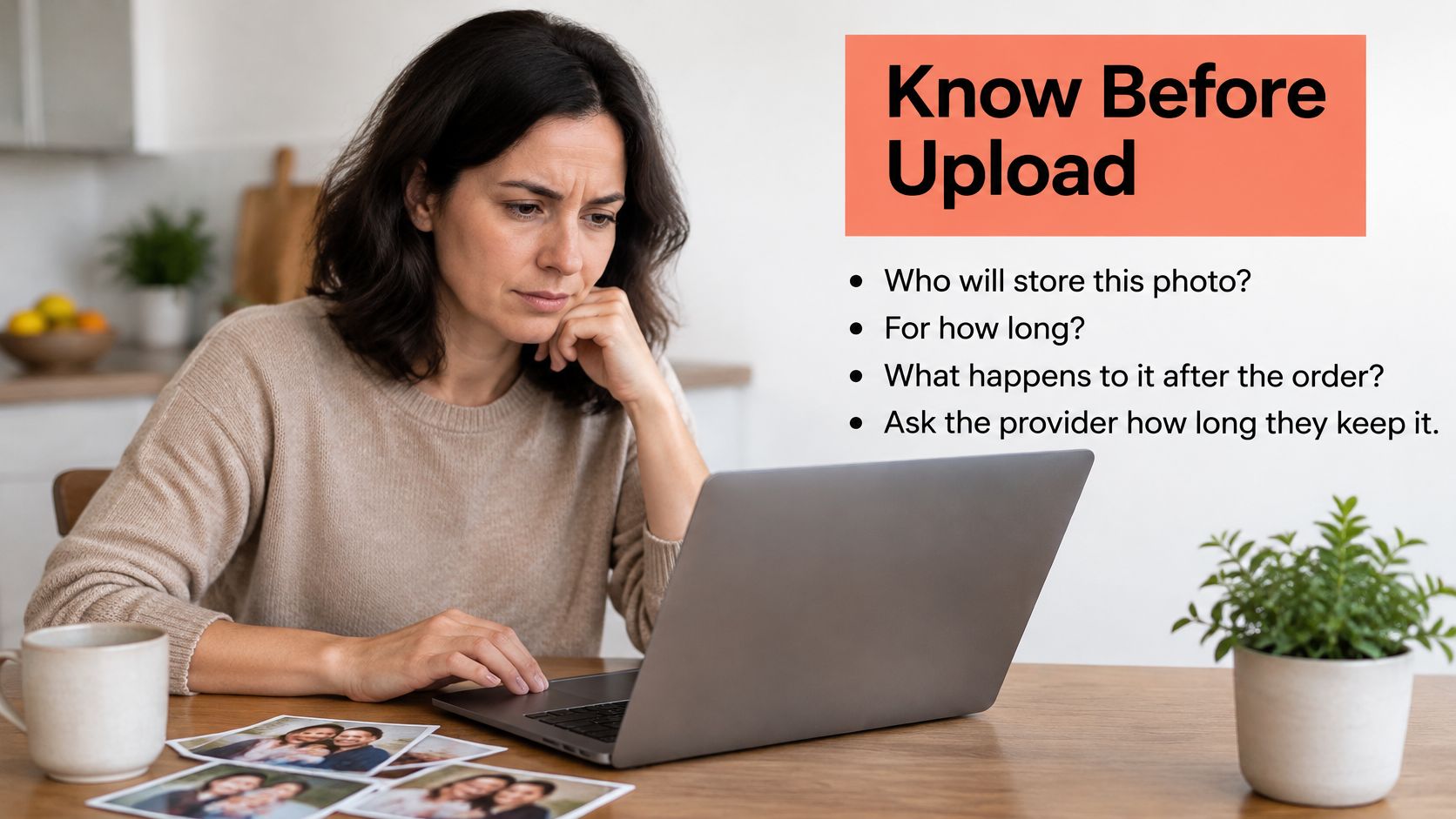
Ask any provider four questions in plain language. How long do you keep uploaded images? How does deletion work, and can I request it? Do you use customer files to train artificial intelligence systems? Who inside the company can access my photos? Trend coverage summarized in an overview of personalised Christmas photo baubles and privacy concerns identifies third-party storage, unclear deletion policies, and private photos entering machine-learning datasets as the worries shoppers raise most. A provider that can't answer clearly hasn't thought about your family's images carefully.
Rights and Permission Come First
Use images you own or are authorized to reproduce. A professional portrait belongs to the photographer in many arrangements, so a studio session doesn't automatically give you reprint rights for merchandise. Check your photographer's terms or ask for permission in writing.
Family photos need a lighter version of the same care. Adults in a group shot may be happy to appear on a blanket for grandma and less happy to appear in a product they didn't expect. For children's photos, check that the other parent or guardian is comfortable with the image being printed and stored by a third party.
This short video walks through the upload decision from the customer's side, so you can see what to review before your files leave your device.
Strip location data before you upload. Many phone photos carry GPS coordinates in the file, which can reveal your home address. Most phones let you remove location when sharing or exporting a copy, and the copy is the file you should send.
Your Pre-Upload Checklist
- Ownership or permission confirmed: You took the photo, or the photographer and the people shown have agreed to its use.
- No sensitive details visible: School names, house numbers, documents, and license plates are cropped out.
- Location data removed: The exported copy carries no GPS coordinates.
- Retention policy read: You know how long files are kept and how to ask for deletion.
- Correction policy confirmed: You know what happens if the print doesn't match your approved preview.
Personalization gets marketed as effortless, but a keepsake mistake stings more than ordinary decor. Five minutes with this checklist protects both the gift and the people in it.
Editing Photos for Fabric and Screens
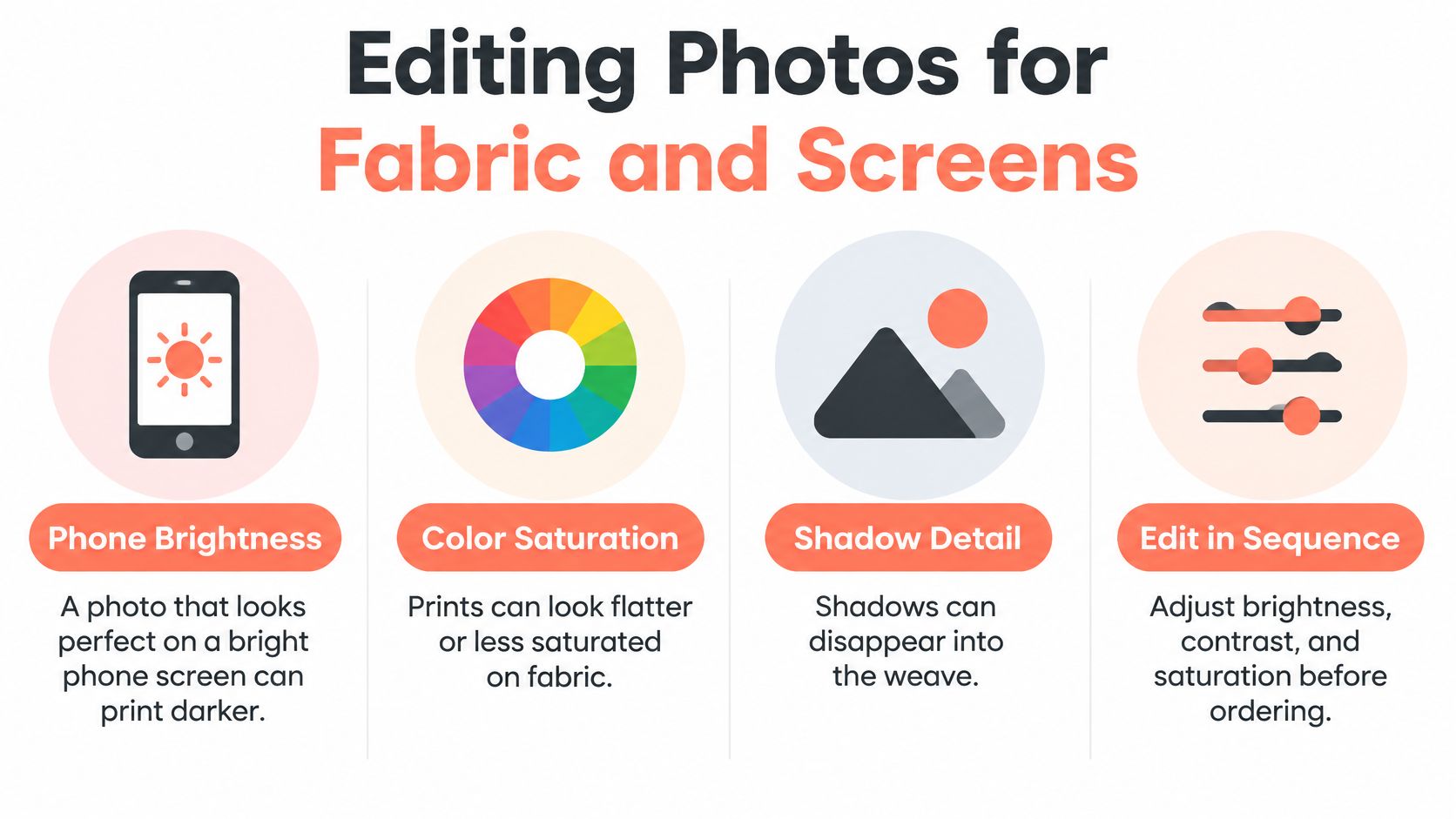
A photo that glows on your phone can print noticeably darker on fabric. Your screen shines light through the image, while fabric reflects light off a textured surface that absorbs some of it. Saturation drops, shadow detail sinks into the weave, and dark backgrounds merge into a single flat patch. Editing for print means compensating for that gap before you order, not hoping the printer fixes it.
Edit in the order below, in any basic editor you already have. Each step has a reason, and skipping the early steps makes the later ones guesswork.
The Editing Sequence
- Crop to the final shape first: Set the blanket or pillow proportions before you touch brightness, so you're judging the actual framing and not a version that will lose its edges.
- Keep faces inside the safe area: Leave at least about 5 cm between any face and the edge, because stitching, seams, and natural folds hide the outer border of fabric items.
- Lift the shadows slightly: Raise shadow brightness a small amount and avoid pure black backgrounds, which print as a solid dark block with no detail.
- Pull back heavy filters: Strong filters and skin smoothing look polished on a small screen and muddy when printed large, so reduce them until skin texture looks natural again.
- Give each collage tile one focal point: One face, one pet, or one moment per tile, and check that any text sitting over a photo has strong contrast against what's behind it.
- Try black and white for mismatched sets: Photos shot under different lighting clash in color, and a single tone unifies a collage without hours of correction.
Don't overcorrect saturation to fight the fabric effect. A small lift helps, but pushing color hard makes skin tones orange and reds bleed into neighboring areas. Adjust brightness first, then contrast, then saturation last, checking faces after each change.
View your edited photo at roughly the size it will print, even if that means zooming in on a section at a time. Softness and noise that stay invisible at phone size announce themselves immediately at print size.
Compare your edit on a second screen before you finalize it. A laptop and a phone rarely agree on brightness, and the difference between them approximates the gap between screen and fabric. If the photo looks acceptable on the dimmer screen, it will usually hold up in print.
Save your edited version as a new file and keep the untouched original separate. If a provider flags a problem, you can re-edit from the clean original instead of stacking corrections on corrections. That habit also preserves the full resolution file you may need for a different gift later.
Working Backward from Christmas to Your Order Date
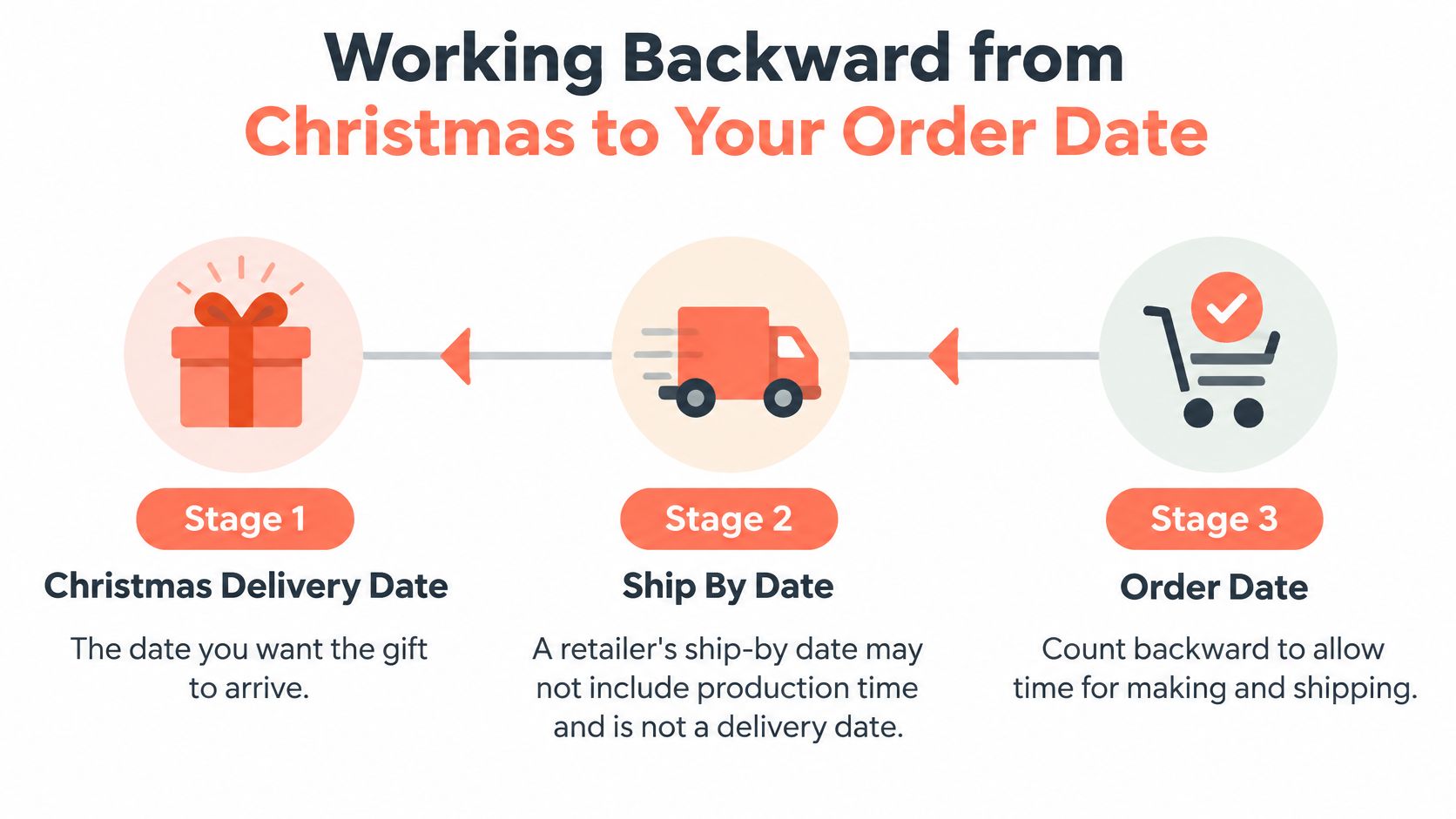
A ship-by date is not a delivery date, and for customized gifts it may not even include the time needed to make your item. That single misunderstanding causes most late Photo Gift Christmas orders. A retailer can ship on the promised day and still miss Christmas if production started late or the carrier needs longer than you assumed.
Track three stages separately. Printed means your item exists but hasn't left the building. Shipped means a carrier has it. Delivered means it's at the address, and only that third stage puts a gift under the tree. Recent U.S. holiday research summarized in Narvar's holiday delivery findings found 53% of shoppers say estimated delivery dates influence retailer choice, while 56% say accurate estimates increase purchase likelihood.
The Backward Calculation
- Start with the date you need the gift in hand: For most families that's December 23 or 24, not Christmas morning.
- Subtract carrier transit for your destination: Use the carrier's delivery estimate for the actual address, since rural and cross-country routes take longer.
- Subtract production time: Use the provider's stated making time for a customized item, not a generic dispatch promise.
- Subtract a safety buffer of 3 to 5 days: This covers weekends, weather, and the sorting delays that hit every network in mid-December.
Backward planning from Christmas delivery
| Stage | Planning window | Who controls it | What to do |
|---|---|---|---|
| Photo selection and cropping | 1 day | You | Choose and crop using the checks in sections 3 to 5 |
| Print review | Same day to 24 hours | Provider | Ask for the free feedback review before ordering |
| Production | 3 business days (example; confirm provider's stated time) | Provider | Use the stated time, not the ship date |
| Carrier transit | 5 business days ground (example; confirm carrier estimate) | Carrier | Plan from the carrier's delivery estimate |
| Weekend buffer | 2 to 3 days | You | Avoid placing the last order on a weekend |
| Safety buffer | 3 to 5 days | You | Covers delays during the busiest weeks |
Run the example. For example, three business days of production plus five business days of ground transit is about eight business days, roughly ten to twelve calendar days. Add the two to three day weekend buffer and the three to five day safety buffer, and your latest sensible order date lands about two to three weeks before Christmas Eve, not a week and a half. Confirm the production and transit numbers for your order, because the example only shows the method.
Free shipping doesn't rescue a late start. The same holiday research found 88% of U.S. consumers are willing to accept slower shipping for free delivery, but only when the arrival promise is credible. Reading how carriers phrase transit windows helps too, and the plainly written shipping information for sweaters and throws from Cashmere Boutique shows the kind of detail to look for on any retailer's delivery page.
Our ordering process is built to stay predictable under this math. You create a blanket in three steps: choose a layout and blanket size, upload your photos, and we turn the photos into a blanket. Our notes on fast shipping for personalized gifts explain how production and dispatch fit together during peak weeks.
If your calculation says you've already missed the safe window, don't gamble on a miracle. Order the gift anyway, then print a preview card or send a digital announcement on Christmas Day showing what's on its way. A promised keepsake with a picture beats an empty apology, and the recipient still gets the moment of recognition.
Presenting the Gift and Placing the Order
A blanket pulled from a shipping bag with the print folded inward wastes the reveal. A photo gift works through instant recognition, so the first thing the recipient sees decides whether they feel the effort behind it. Thirty seconds of presentation planning protects weeks of preparation.
The personal message carries much of that effect. You can add a personalized message to a photo blanket, such as an important date, a thank you, or an "I love you." Keep it short and specific. A date and a place name beat a paragraph of general affection because they anchor the photo to a real memory.
That personal layer is what recipients remember. Deloitte's holiday survey announcement reported 20% of respondents planned to purchase personalized or monogrammed gifts, rising to 33% among Gen Z and 29% among millennials. A gift that feels personal is more likely to be remembered than a generic store-bought alternative.
Four Ways to Stage the Reveal
- Face up in the fold: Wrap a folded blanket with a single photo showing on top, so the recipient's first sight is the subject, not the backing fabric.
- A teaser print on top: Place a small printed photo of the recipient on a pillow or album before wrapping, hinting at what's underneath.
- A group reveal on Christmas Eve: Unwrap after dinner when everyone's seated, and ask one person to film the reaction rather than everyone reaching for phones.
- A named moment on the tag: Handwrite the moment the photo captures, such as the lake house trip or a first day of school, so the story arrives with the gift.
Preview accuracy decides whether these moments land. Check that faces sit where you placed them, names are spelled correctly, and no one's head disappears into a seam. Unclear cropping or a soft, low-resolution face undermines the personalization the whole gift depends on. You will spot problems in a careful preview that a quick glance misses.
The Final Decision and Order Check
Custom Photo Blankets are the strong default for a Christmas keepsake. One large photo or a collage turns into a daily use item that suits parents, grandparents, partners, and kids without changing the format. We've helped over 50,000 customers turn their photos into blankets, and personalized photo blankets receive 20% off automatically at checkout, so the price you plan around is the price you pay.
Before you place the order, run one final pass. Confirm the item matches the recipient. Confirm every photo passed your pixel, privacy, and editing checks. Confirm your order date survived the backward calculation with its buffer intact. Then check the provider's current production and shipping times one last time, because peak season estimates change.
Send any borderline photo for free feedback before you pay. A remake in the final week before Christmas has no buffer left to absorb it. The shoppers who relax in late December are the ones who front-loaded these checks while there was still time to fix things.
Choose the item for each person on your list and put the order date in your calendar as a fixed appointment today. Everything else in this process takes an evening. Missing the date takes the gift.
Turn the photos already on your phone into a Christmas keepsake your family will use every day, with a custom photo blanket built from your favorite images and your own personal message. Choose your layout, upload your photos, and let us handle the printing while there's still comfortable time before Christmas Eve. Start your blanket today at That Blanket Co.