


Wedding Gift Photo: Meaningful Keepsake Ideas for 2026
You've been invited to a wedding, the registry link is open in another tab, and cash feels practical but forgettable. Then you find a photograph of the couple laughing during the reception, or standing together just after the ceremony, and realize it could become something they'll use and see for years. A well-chosen wedding gift photo turns a digital memory into a household keepsake, but only if the image is approved, prepared correctly, and placed in a design that suits the couple.
The strongest gifts follow a clear path: choose the right photograph, check consent, prepare the file for its final size, select a thoughtful layout, and order with enough time for production and delivery. A Custom Photo Blanket works particularly well because it combines personal history with everyday use, rather than leaving the image stored in a gallery that the couple rarely opens.
What a Wedding Gift Photo Really Means
A couple can open several wedding gifts in one afternoon and still remember the one that feels unmistakably theirs. A cash gift helps with an immediate expense. A registry item solves a practical need. A photograph does something different: it brings the wedding back into the room.
That emotional power has a long history. In the late 1860s, more couples began posing in wedding clothing or hiring photographers to visit the wedding venue, although bulky cameras and difficult lighting kept wedding photography largely formal and studio-based through much of the nineteenth century. Wedding albums became increasingly common in the 1880s, giving families a way to preserve multiple images rather than a single portrait, as documented by the Denver Public Library's history of wedding photography.
Color photography became technically available in the early twentieth century, but it remained expensive and unreliable, so black-and-white wedding images dominated for decades. After World War II, improved roll film, portable cameras, and compact flash equipment made it practical to photograph the wedding as an event. By the mid-1960s, color film was used more widely, while candid and documentary approaches continued developing through the 1970s.
A memory that earns its place at home
That history explains why a couple's own photographs carry more than decorative value. The image records a relationship, a gathering, and a specific moment that can't be recreated. Once printed on a useful object, it becomes part of the couple's daily surroundings instead of remaining a file among hundreds of other wedding images.
My recommendation: Choose a format the couple will actually live with. A beautiful image that stays in cloud storage has less daily presence than a carefully printed keepsake on the sofa, bed, or wall.
The choice also depends on the recipient. A couple may want a full-bleed portrait, parents may prefer a photograph showing the whole family, and grandparents may appreciate a classic image with faces large enough to recognize easily. For more inspiration on turning wedding images into lasting presents, explore these wedding keepsake ideas.
The rest comes down to execution. A meaningful photograph can still disappoint if it's blurry, aggressively cropped, poorly color-balanced, or crowded by too much text. Select the image with care, then treat the file and layout as part of the gift itself.
Choosing the Right Photo for the Couple
Start with the relationship between the giver, the recipient, and everyone visible in the frame. The right photograph isn't automatically the couple's most dramatic image. It's the image they'll feel comfortable displaying, receiving, and explaining to other people in their home.
Candid photography can be especially moving because it captures interaction rather than performance. Yet candid doesn't mean universally appropriate. An unguarded expression, a guest in the background, or a complicated family history can change the meaning of a photo once it's printed permanently.
Use a consent-first filter
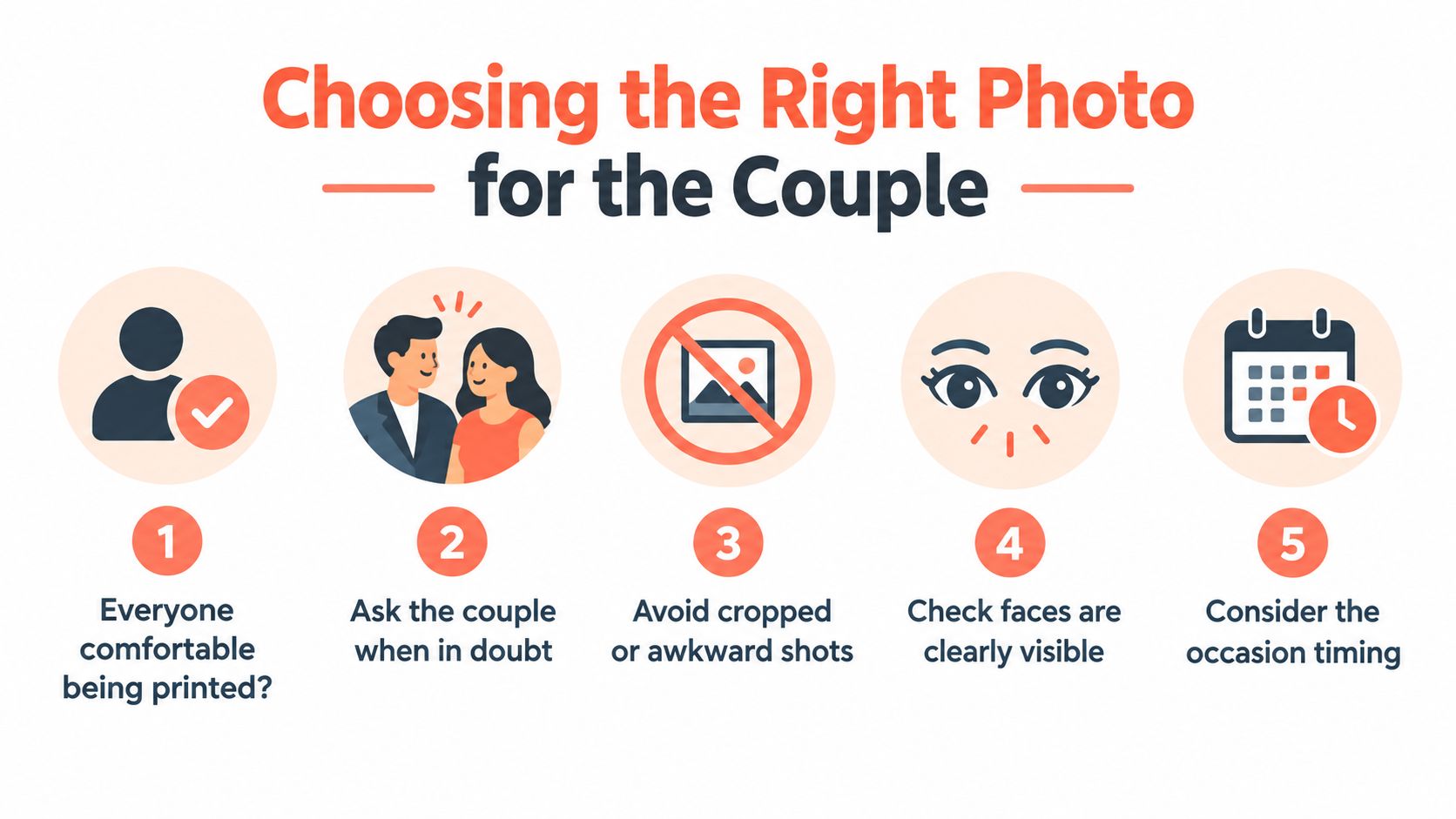
Ask these questions before uploading anything:
- Was the image delivered or approved by the couple? A photograph being publicly posted doesn't necessarily mean every person approves permanent reproduction.
- Are all featured adults comfortable appearing in the gift? Avoid ex-partners, estranged relatives, or guests whose presence could create tension.
- Do children appear? Seek parental permission before reproducing an identifiable child.
- Can the couple display it every day? If the answer is uncertain, choose a detail shot or ask them directly.
- Are faces and meaningful details visible? Hands, rings, expressions, and the couple's interaction should survive the crop.
Wedding photography now includes many unposed moments. 45% of Australian couples prefer candid photography and 48% want a mix of candid and posed images, while 75% ask guests not to take photos during the ceremony, according to the Easy Weddings Survey 2025. The numbers make approval a real part of the selection process, not a polite extra.
Match the image to the recipient
For the couple, choose the image that best reflects their relationship. A quiet glance, a first-dance embrace, or a joyful exit can feel more personal than a formal group portrait.
For parents and grandparents, include the wider family only when everyone shown is comfortable with it. A venue image, bouquet, rings, shoes, or a close crop of joined hands can be elegant alternatives when the guest list or relationship history makes a people-focused image risky.
If you can't confirm approval for the ideal shot, ask the couple for a favorite image or request a small selection from their photographer. That preserves the surprise without guessing about privacy. When a portrait isn't suitable, a detail photograph paired with names, the wedding date, or a short line of text can carry the story without exposing anyone to an uncomfortable display.
Preparing Your File for Professional Printing
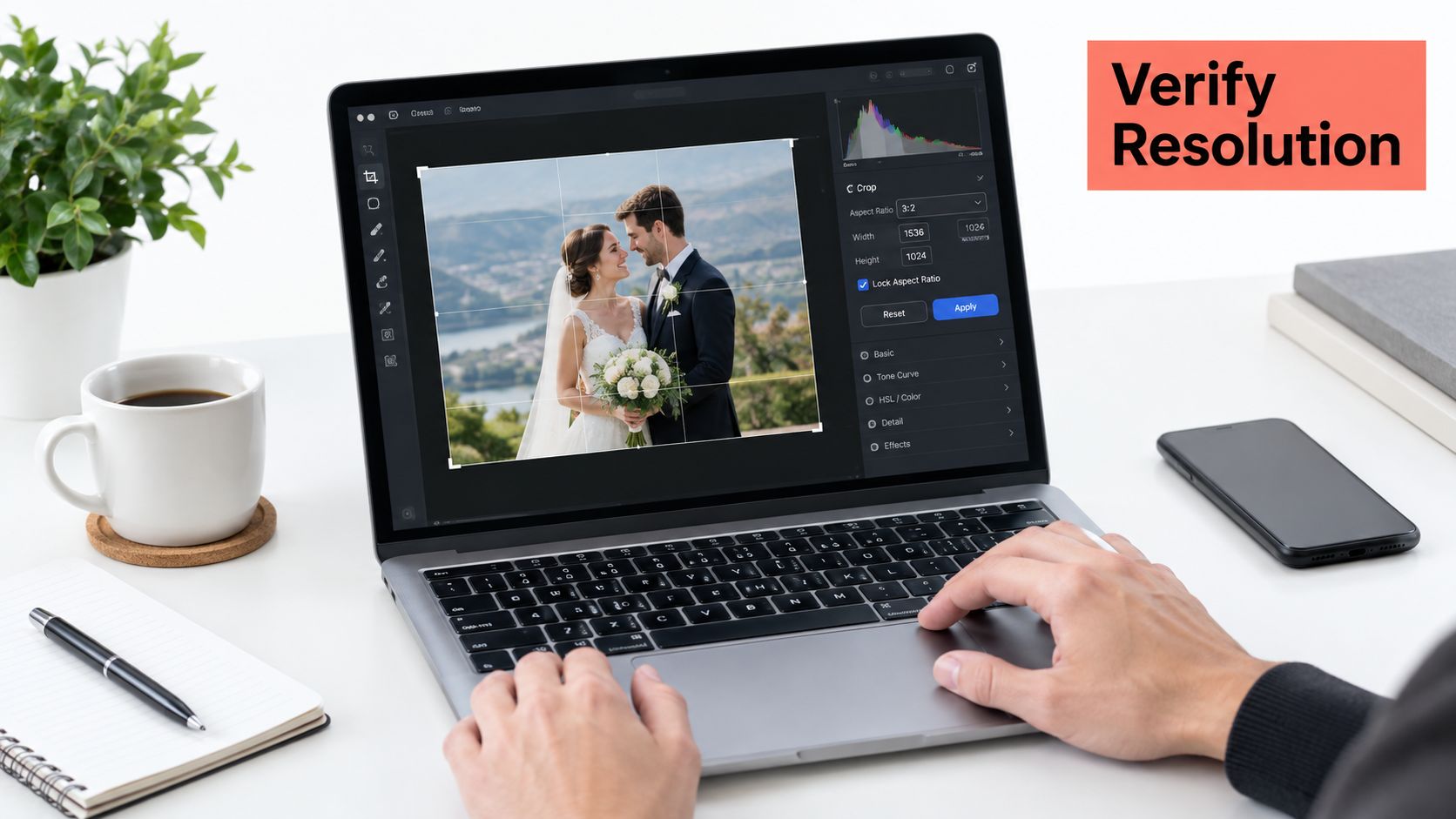
Printing problems usually begin before the design tool opens. Start with the product's final dimensions, then check whether the source file contains enough pixels for that size. A sharp image on a phone can still look soft when enlarged across fabric or another large surface.
For professional-quality reproduction, prepare the image at approximately 300 pixels per inch, or PPI, at the final viewing size. Calculate the requirement by multiplying the finished width and height in inches by 300. A 12 × 16-inch image should contain roughly 3,600 × 4,800 pixels, and software upscaling can't reliably recreate missing facial detail, as explained in this academic guide to artwork and figures.
Follow the file workflow
- Confirm the finished dimensions. A throw, twin, or queen design may use a different canvas shape, so don't prepare the image before checking the intended product.
- Crop to the correct aspect ratio. Position the couple first, then crop. Keep faces, hands, rings, and expressions inside the safe area.
- Use the original file. A photographer's delivery file or the highest-quality phone-camera original is preferable to a screenshot or a messaging-app download.
- Export carefully. Keep the uncropped original and upload either the original or a high-quality JPEG.
- Inspect at 100%. Look for softness, compression blocks, halos, strange skin texture, and details that disappear after cropping.
For readers who also photograph artwork or physical keepsakes, this guide to capturing brushstrokes and texture offers useful principles for preserving fine detail during image capture.
Control color before production
Edit from the RAW file or highest-quality source when possible. Correct white balance with special attention to skin tones, and protect both ends of the tonal range. Dark suits need visible shadow detail, while white dresses should retain texture instead of becoming blank, clipped shapes.
sRGB is the safest general-purpose color space unless the production workflow specifies another profile. If an ICC profile is available, use soft proofing to identify colors outside the output gamut, then correct extreme saturation or luminance before export. Review the final image on a sensibly adjusted display. An excessively bright phone screen can make the printed result appear darker than expected.
Don't convert to CMYK without production instructions, and don't assume metadata labeled “300 dpi” proves the image has enough pixels. A compressed social-media download, oversized collage, or screenshot can still produce small faces and weak detail, regardless of the resolution label. More practical guidance is available in this photo resolution guide for printing.
Designing a Custom Photo Blanket That Looks Intentional
A finished blanket should look designed, not like a photo stretched onto fabric. Start by deciding what the image needs to do. A single hero portrait creates a calm, gallery-like result. A collage tells a fuller wedding story, while an all-over photo and text layout works when the couple has one image and a short message that deserves equal attention.
Choose a layout with a purpose
Use a single image for a striking ceremony portrait, first dance, or quiet couple photograph. It gives faces room and avoids the small-image problem that affects crowded collages.
Choose a collage when several moments matter, such as getting ready, the ceremony, the reception, and the departure. Keep the number of images disciplined. If every frame is important, none of them receives enough visual space.
An all-over photo with text suits a short message, surname, wedding date, or venue. A monogram or heart-photo design feels more traditional and works well when the couple prefers a simple, recognizable motif. Star-map and floral layouts can shift the emphasis from the portrait toward the place, date, or visual mood of the celebration.
Design rule: Keep text short and protect the faces. Names and dates should support the photograph, not cover eyes, hands, rings, or the strongest expression.
Match the blanket to the home
Material changes the impression of the gift. Ultra-soft, machine-washable fabrics suit a couple who wants a practical sofa layer, while sherpa warmth creates a heavier, cosier feel. Woven fringe adds a more decorative finish, and playful kids or nursery themes make sense when the wedding image is also part of a growing family story.
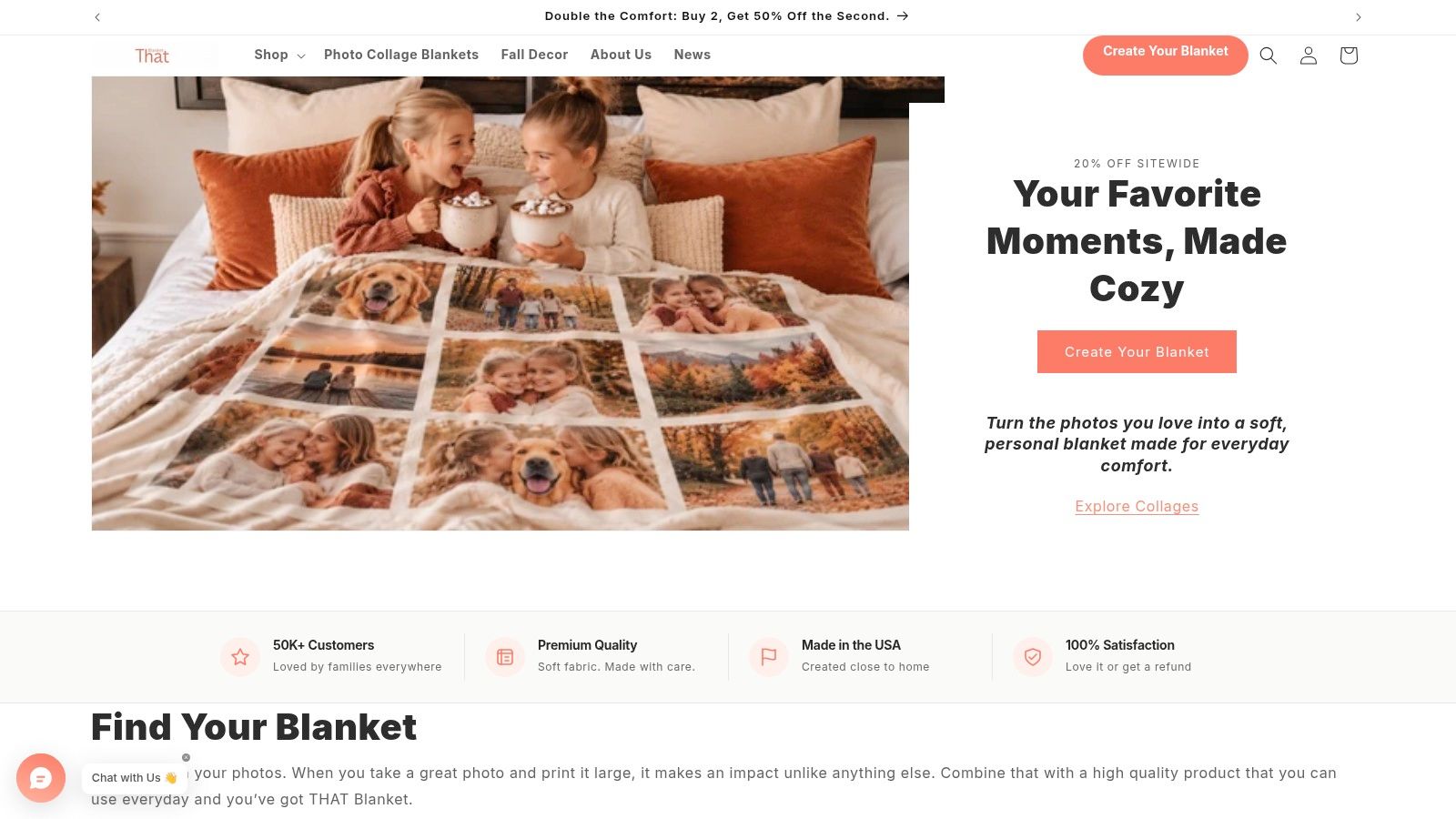
Custom Photo Blanket designs pair ultra-soft, machine-washable fabrics with gallery-quality printing designed to resist pixelation and fading. Shoppers can upload a favorite image and choose throw, twin, or queen sizes, with collage, all-over photo and text, monogram, heart photo, floral, star map, and themed layouts, as described on That Blanket Co's custom photo blanket range.
Keep the finished canvas in mind when the blanket folds over a sofa or bed. Place faces comfortably inside the safe area, avoid putting critical text near edges, and preview the design at its full shape. If you're preparing a large batch of product images for a broader catalog, the principles behind batch processing product images can also help organize files consistently.
The customization process should feel simple: upload the approved photograph, choose the layout and size, review the preview, and confirm the order. For more layout guidance, use this resource on how to design personalized photo blankets.
Why a Photo Keepsake Beats Cash and Gift Cards
Cash, registry items, and gift cards all solve different problems. Cash gives the couple flexibility. A registry item answers a stated need. A gift card lets the couple choose within a particular category. A personalized photo gift earns its place differently, by preserving a moment and making it part of ordinary home life.
The available benchmarks show why a photo keepsake needs to communicate value clearly. Empower's 2024 study of 1,160 U.S. adults found that guests expected to spend an average of $175 on a wedding gift. A 2009 Marist Poll reported that 40% gave cash or a check, 33% chose a registry item, 18% gave a gift card, and 9% selected an unregistered gift, according to Empower's wedding spending research.
| Gift Type | Approximate Spend | Sentiment Level | Long-Term Use |
|---|---|---|---|
| Cash or check | Planned according to the guest's budget | Practical | Depends on how it's used |
| Registry item | Chosen from the couple's list | Moderate to high | Usually tied to a household need |
| Gift card | Planned category spending | Moderate | Useful within the issuing store or service |
| Wedding gift photo | Planned around the chosen product | High when the image is personal and approved | Designed for repeated display or use |
The table isn't an argument against practical gifts. It's a reminder that a photo gift competes on a different dimension. It gives the couple an object connected to their day, and the image can remain meaningful even after the original event expenses are forgotten.
A cash gift closes a transaction. A well-made photo keepsake keeps the memory visible.
Personalization does require more thought. You need the right image, a suitable crop, and a design that fits the recipients' taste. That effort is manageable when the customization path is clear, and it can be worthwhile for couples who already have enough household basics. If you're considering a non-photo experience instead, a Philadelphia dance studio gift card illustrates how a gift card can provide an activity, while a photo blanket provides a lasting visual reminder at home.
Ordering, Production Timing, and Holiday Season Strategy
Once the image is approved and prepared, ordering should follow a simple sequence. Upload the file, select the product size and layout, add any names or message, inspect the preview, and confirm the shipping details. That final preview is where you catch a face too close to an edge, text placed across a dress, or a collage image that has become too small.
Timing matters most during the two concentrated gifting seasons. Late November through early December was the most popular Christmas-gift-shopping period in the United States, selected by 29% of consumers in a 2025 YouGov survey, and PwC reported that 39% of planned holiday gift spending was expected during the five-day period from Thanksgiving through Cyber Monday, as summarized in PwC's holiday outlook. For November and December gifting, prepare the photograph and finalize the design before the late-November peak whenever possible.
Use the calendar, not wishful thinking
For Christmas gifts, begin in November or earlier. Holiday demand can affect production and delivery schedules, and a personalized product needs more handling than an off-the-shelf purchase. Don't leave image selection, consent checks, design approval, and shipping to the final days before the celebration.
April and May should focus on Mother's Day gifting. A wedding photograph can become a meaningful gift for the bride's mother, the groom's mother, or a grandmother, especially when the design includes a family image rather than only the couple. Shoppers should upload photos and place orders early in the spring gifting window, allowing room for customization, production, and delivery.
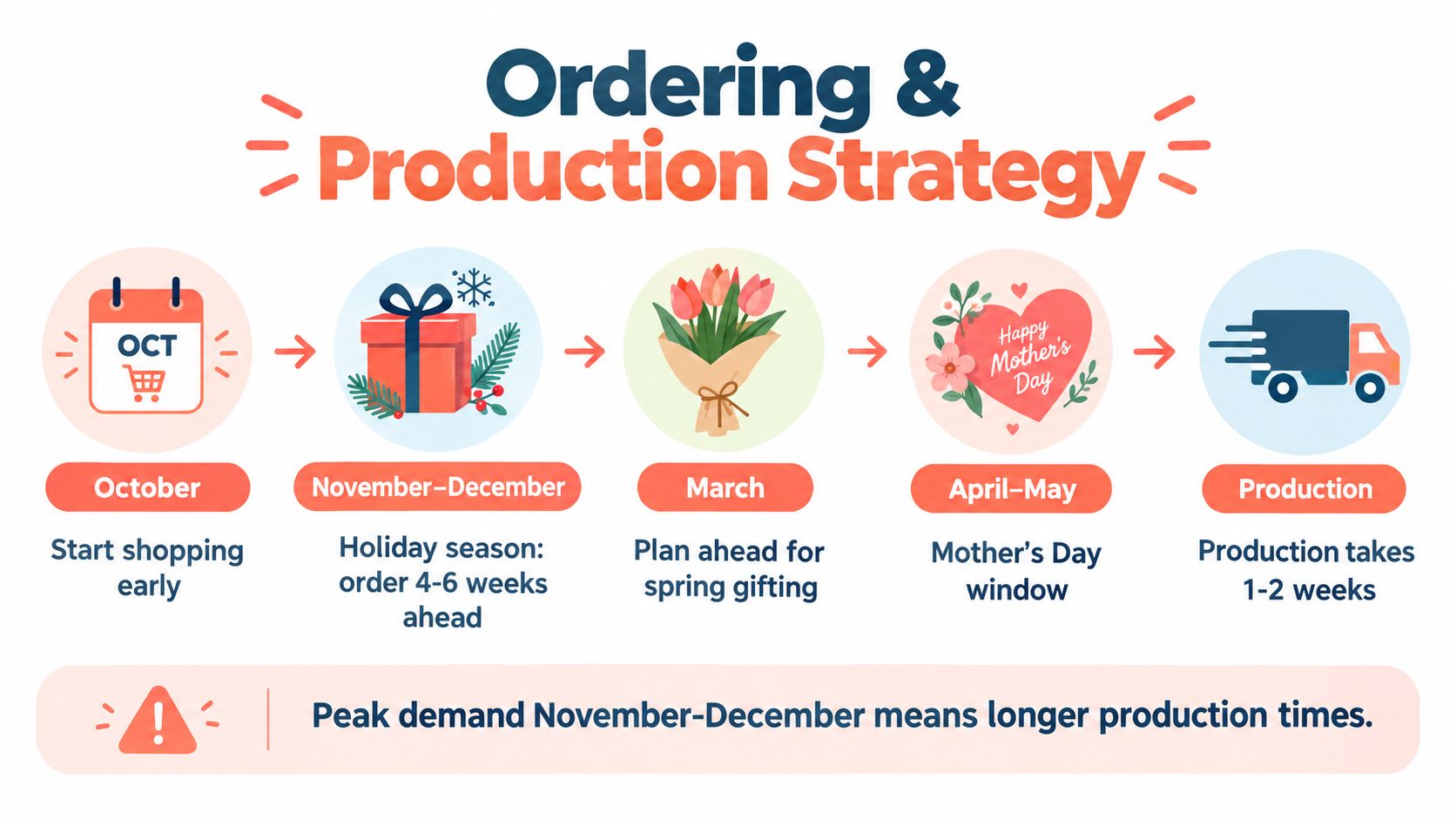
That Blanket Co states that its custom orders are typically printed and shipped within 2–3 business days, with free shipping and a three-step customization process. Treat that as production information, not a reason to delay. Carrier time, seasonal demand, and the time needed to correct an unsuitable image still affect the overall schedule.
Separate display from preservation
The blanket is the everyday display copy. It shouldn't replace the original full-resolution file or a proper printed album. Keep the uncropped original unchanged, store a private digital backup, and add a small note with the filename and event date so the couple can identify the source later. Multiple backups, including at least one off-site copy, plus periodic migration to new media, offer stronger protection against deletion, hardware failure, account changes, and obsolete formats.
Care Tips and Your Next Steps
Treat the blanket as a usable home object, not a fragile archive. Follow the product's care label, use a gentle machine-wash cycle, dry with low heat when permitted, and avoid harsh detergents that can fade printed color. Keep the original image file separately, because fabric care protects the display piece but can't preserve the source photograph.
The complete workflow is straightforward:
- Select thoughtfully: Choose an image the couple and every featured person can live with.
- Prepare accurately: Check final dimensions, crop safely, preserve the original, and inspect at 100%.
- Edit naturally: Protect skin tones, dress detail, suit shadows, and realistic color.
- Design with restraint: Give faces room, keep text brief, and choose a style that suits the home.
- Order early: Plan around the November and December holiday window or the April and May Mother's Day season.
- Preserve separately: Pair the physical keepsake with a private backup or printed album.
Choose the photograph this week, even if you won't order immediately. Early selection gives you time to ask for approval, find a better original, and make a design that feels deliberate rather than rushed.
That Blanket Co offers Custom Photo Blankets in throw, twin, and queen sizes, with photo, collage, text, monogram, heart, floral, and star-map designs on soft, machine-washable fabrics. Upload your approved wedding image, review the layout, and visit That Blanket Co to create a keepsake the couple can use and remember every day.