


How to Make a Photo Book Anniversary Gift
You're sitting together with a decade of camera rolls open, trying to choose a cover photo. There are wedding portraits, blurry kitchen selfies, holidays you barely remember, and a picture of your old dog that neither of you wants to leave out. Before long, making an anniversary gift starts to feel like sorting your entire life.
A photo book anniversary gift becomes easier when you stop trying to include everything. Build a book that helps someone understand your life together, including the names, places, ordinary routines, and turning points they couldn't identify from pictures alone. The finished keepsake should be comfortable for grandparents to read, interesting for children to explore, and possible to reproduce if the original is damaged.
Anniversary Photo Book Sizes and Page Counts
Lock in trim size, page count, and photo budget before selecting individual pictures. Trim size means the dimensions of the finished page. Your photo budget is the maximum number of images you'll include, not a target you must reach.
Treat the following table as a worked planning example, not a printer's specification or a rule about how much life belongs in a book. Confirm your chosen printer's available sizes and page increments before you start designing.
Page counts and formats by anniversary
| Milestone | Pages | Photo budget | Format to choose |
|---|---|---|---|
| First year | 20–30 | 40–60 photos | 8×8 hardcover |
| Fifth year | 30–40 | 60–80 photos | 8×8 or 10×10 hardcover |
| Tenth year | 40–60 | 80–120 photos | 10×10 lay-flat |
| Twenty-fifth or fiftieth | 50–80 | 100–150 photos | 12×12 lay-flat or 10×10 hardcover |
| Extra family copy | 20–40 | Same edit, fewer spreads | 8×8 softcover |
For a first anniversary, leave room for the beginning of married life rather than making a second wedding album. Include the first home, familiar walks, and the routines you've started together.
By the fifth anniversary, you may need more space for changes in work, home, or family. A compact hardcover still works well if you edit firmly; choose a larger format when you want generous captions alongside photographs.
For a tenth anniversary, divide the story into recognizable chapters rather than giving every year equal space. For a twenty-fifth or fiftieth, organize by era so the reader can follow changing homes, relationships, and family roles without getting lost in successive vacations.
Choose the format for the reader
An 8-by-8-inch hardcover is a useful example of a manageable coffee-table format. It's comfortable to hold, but readability comes from large photographs and clear text, not the cover dimensions alone.
Consider a 10-by-10 or 12-by-12 lay-flat book for wedding panoramas. A spread is the pair of pages visible when the book is open; the gutter is their meeting point. Lay-flat construction helps when a conventional gutter would interrupt an important image.
An 8-by-8 softcover can serve as an economical extra family copy rather than the main preservation copy. If you also need a separate reunion handout, The Print Warehouse Ltd's option to order custom marketing booklets is a resource for that different print job, not a substitute for checking photo-book materials.
Practical rule: When the page budget is full, replace a photograph rather than adding another page.
Plan a restrained rhythm, with a small number of pictures on most pages and occasional full-bleed images that extend to the edges. A shorter book people finish is more useful than an exhaustive one they leave in its box.
How to Choose Photos and Build the Story
Start with identification, not decoration. If you can't explain who appears in a photograph or why you kept it, a future reader probably won't understand it either.
A family-photo organization survey found that 77.4% of respondents aged 20–60 had not fully organized their family photos. A dependable folder system is therefore a better starting point than a clever theme.
Use this visual overview to keep the selection process manageable.
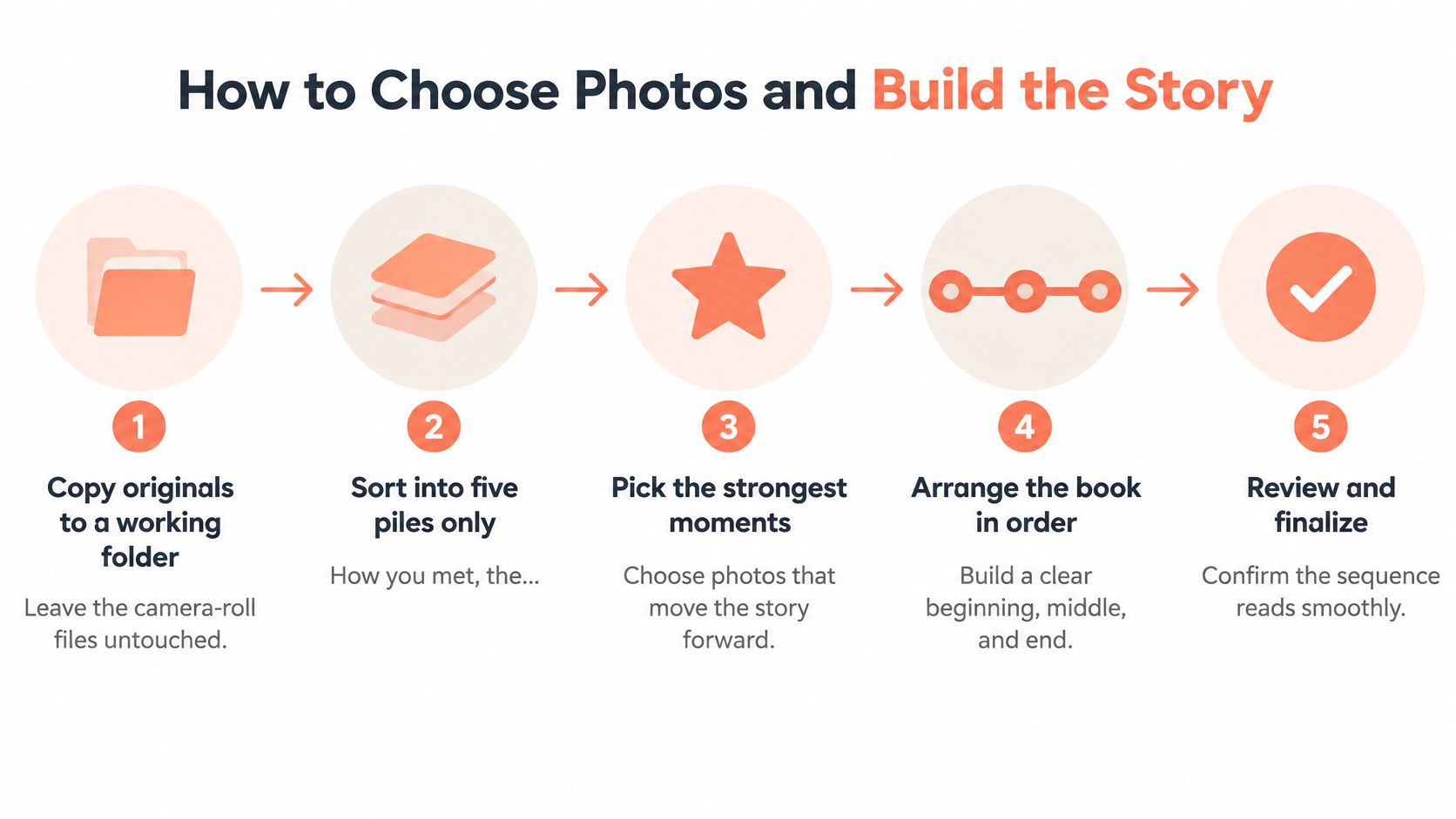
Work through the selection together
- Copy originals to a working folder. Leave the camera-roll files untouched and gather candidate photographs in a separate project folder. For a practical folder structure, use this guide to organizing digital photos. Don't start deleting from shared family libraries while you're deciding what belongs in the book.
- Sort into five piles only. Use how you met, the commitment, home life, people who matter, and hard seasons you both agree to include. These are sorting categories, not compulsory chapter titles. Leave sensitive photographs out until both partners have agreed on their place in the story.
- Cap each pile against your photo budget. Reserve space for ordinary life before wedding portraits and trips fill every slot. Choose the imperfect picture of making breakfast if it says something the polished portrait doesn't.
- Rename files so another person can identify them. Use year, month when known, and people's names, followed by a short description. Mark uncertain dates as approximate instead of guessing. Keep fuller identification notes in a separate document when a filename would become unwieldy.
- Choose a single organizing structure. Year-by-year sequencing can suit an early anniversary. For a longer relationship, try eras such as before children, early parenthood, and lately. If relatives hold missing pictures, Saucial's page to upload pictures for attendees is a possible collection resource; request names, dates, and permission along with the files.
- Sketch the spreads before designing them. As a worked layout example, place two to four photographs per spread and allow a full-bleed image about every eight to ten pages. Adjust that rhythm when captions need more room. Never shrink an important explanation to maintain a pattern.
- Read the sequence aloud together. Say what each spread contributes. Cut runs of near-identical smiles, repeated scenery, and pictures that require a long defense to justify their inclusion.
Keep the photograph that carries the memory
Consider a hypothetical tenth-anniversary edit. The couple begins with three beach albums, then reduces them to a single spread because the photographs tell the same story.
They keep a rainy Tuesday grocery photograph instead. It's poorly lit, but both remember the joke about the soaked shopping list, and the picture captures how they made an ordinary errand enjoyable.
That's not an argument against beautiful photography. It's a reason to judge pictures by meaning as well as appearance.
Before opening a design tool, export a simple page list from a spreadsheet or document. Give each planned spread a working title, its image filenames, and the identification details still missing. Resolve those gaps while relatives can help.
Captions and Layouts People Can Actually Read
Write captions using name, place, and year, then add a plain sentence explaining what happened. For example: Maya and Luis, kitchen, March 2016. The cake collapsed, and we ate it anyway. That gives a child or grandparent more to work with than an unexplained joke.
Think about the way people will browse the book: together, with interruptions, pointing at faces and asking questions.
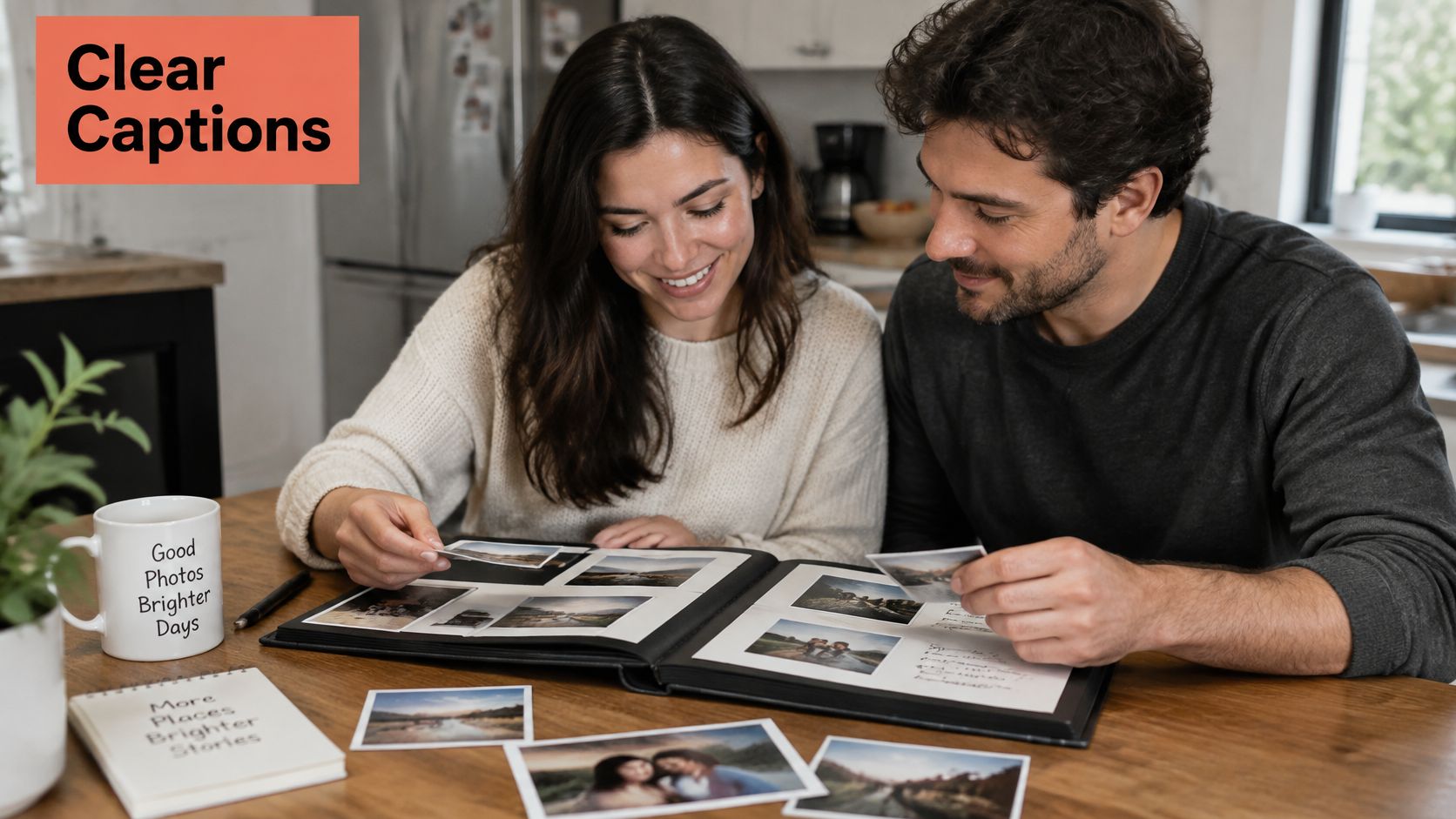
Make context visible
The family memory research report found that smartphones were the primary photo-capture device for 97% of surveyed families, while 91% wanted both digital and physical formats. Your book doesn't need to replace the files. It needs to make selected pictures understandable without a phone, account, or accompanying explanation.
Use these hypothetical rewrites to see the difference between a label and a useful caption.
| Page | Vague caption | More useful caption |
|---|---|---|
| Wedding | Our special day | Maya and Luis with Elena, their wedding witness, outside the town hall. Elena carried the rings in her coat pocket. |
| Pet | Our best friend | Pepper, our dog during the first years in the apartment. She waited beside this window whenever Luis worked late. |
| A difficult season | We got through it | At home during Maya's recovery. We kept our days quiet and accepted help from family. |
On the pet page, add the animal's years with the family when you can verify them. On a difficult page, agree on the wording together and avoid disclosing medical or family details merely to fill space.
If you want a romantic opening line, browse these marriage quotes, then keep factual captions underneath the photographs. A quotation can express affection, but it can't identify a wedding witness.
Test the page at its printed size
For a hypothetical starting layout, try 14-point body text and captions of at least 12 points, then enlarge them for the actual reader. Those are design starting points, not a guarantee of accessibility. Print a sample at full size and let the recipient's needs guide the final choice.
- Use clear contrast. Dark text on light, plain paper is easier to assess than pale gray lettering over a photograph.
- Keep typography consistent. Choose a readable typeface and leave enough margin that a thumb won't cover names or dates.
- Reduce clutter. For a low-vision reader, enlarge the important images rather than fitting more onto the spread.
- Design for children. Repeat first names, explain family relationships, and skip fragile loose inserts.
Pause to review how the pages feel when someone turns them.
Include a communal scene, such as a holiday table, large enough for people sitting together to recognize faces. Then try a brief outsider test: hand an open spread to someone outside the relationship and ask who, where, and when. Rewrite anything they can't work out.
How to Export and Proof Before You Print
A layout can look finished on screen while still containing files that won't print well. Screenshots, heavily cropped pictures, and social-media downloads deserve particular attention because a small preview can hide missing detail.
Use the printer's template and export requirements rather than assuming every supplier accepts the same file. Keep a separate production folder so an approved print file doesn't get confused with an earlier draft.
Complete the production checks
- Keep originals and edit lossless working copies. Preserve the original capture, including its metadata where possible. Use a lossless working format such as TIFF or PNG when appropriate; converting a compressed photograph won't restore detail, but it can prevent further lossy editing cycles.
- Balance related images together. Adjust white balance and exposure so pictures from different phones and cameras sit comfortably alongside each other. Correct obvious color casts without forcing every era into an identical filter. Older photographs can retain their character.
- Export for the final printed dimensions. The photobook production guide recommends approximately 300 DPI at final print size. Check effective resolution after cropping, not just the resolution of the untouched original. This guide to photo resolution for printing can help you assess whether a file suits its intended placement.
- Soft-proof using the printer's ICC profile. An ICC profile describes a device's color behavior. Use the supplied profile in a color-managed application and inspect skin tones, dark coats, shadow detail, and saturated reds. A calibrated display helps, but a screen still isn't paper.
- Order a physical proof. Examine it in neutral light rather than under a strongly colored lamp. Look for muddy faces, blocked shadows, unexpected color shifts, and captions that felt larger on screen.
- Inspect construction and alignment. Check page order, trim, binding, and the position of faces near the gutter. Ask about sewn construction for durability and lay-flat construction when a photograph must remain visible across an open spread. They describe different features, so don't treat the terms as interchangeable.
Check the crop before blaming the printer
The common mistake is enlarging a screenshot that looked perfectly acceptable on a phone. Once it fills a printed page, compressed edges and soft facial details become much easier to see.
Suppose the only proposal photograph is 1,200 pixels wide. In that hypothetical case, use it as a smaller image with a thoughtful caption rather than stretching it edge to edge. Its emotional importance doesn't require full-page placement.
A small, recognizable photograph is better than a large, muddy one.
If an important image looks weak, first retrieve the original from the photographer, device, or message sender. Don't assume an enhancement tool can reconstruct details that were never captured.
Approve the run when skin tones and the gutter check pass, along with the text and trim inspection. If they don't, correct the failed items and proof again. Avoid making unrelated design changes at this stage, because each change creates another opportunity for an unnoticed mistake.
How to Store the Book for Future Anniversaries
The printed book and the digital master can fail in different ways. Water can damage the object; a lost password or failed drive can prevent you from rebuilding it. Protect both, rather than assuming one will rescue the other automatically.
Keep a preservation folder containing the selected master photographs, final print PDF, editable project where available, and identification notes. Add a short explanation of the folder structure so someone else can use it without asking you.
Protect the files and their meaning
The National Archives preservation handout supports keeping digital materials in at least two geographically separate locations plus an additional offline copy, and recommends print storage around 30–40% relative humidity, where feasible, at or below about 20°C, with minimal fluctuation.
Choose storage locations that don't depend on the same device or household. An external drive beside your laptop is useful, but both remain vulnerable to the same local accident.
- Document identification. Record filenames, dates, names, places, and the people who supplied photographs.
- Record permissions. Note who owns professional images and any limits on sharing sensitive family material.
- Test access. Open saved photographs and the PDF instead of relying solely on a successful upload notification.
- Explain ownership. Tell a trusted family member where the master is stored and how authorized access should work.
A cloud service can be part of this arrangement, but a single synchronized folder isn't the whole preservation plan. Accidental deletions or account problems can affect access just when you need the files.
Give the physical book a stable home
Ask for acid-free, lignin-free materials, and request actual specifications rather than relying on an unqualified archival label. For loose prints or proof photographs, choose enclosures that pass the Photographic Activity Test under ISO 18916 and follow ISO 18902 guidance.
Store the book away from direct sunlight, damp walls, heaters, and places with large environmental swings. An attic or basement may seem convenient because it's out of the way, but that convenience can come with unstable conditions.
Preservation habit: Keep the reading copy accessible, and protect the spare copy or digital master deliberately.
Avoid colored papers that may transfer dye and adhesive contact with photographs. Don't tape a loose wedding print inside the cover just because it looks secure today.
A living-room shelf is reasonable for the copy you enjoy, provided it's away from harsh light and heat. On your next anniversary, inspect the book for wavy pages, sticking surfaces, loose binding, or color changes, and refresh the backup at the same time.
Leave instructions to continue that small routine. An unidentified book may remain attractive decades later, but names and context are what allow another generation to understand the marriage it records.
Time the Gift for Holidays or Mother's Day
Plan backward from the handover, not forward from the day you remember to order. Leave room for gathering missing pictures, reviewing a proof, making corrections, and delivery. A production estimate isn't an arrival guarantee.
For Mother's Day gifting in April and May, early April is a sensible editorial target for ordering a photo book. For holiday gifting in November and December, begin in early November rather than treating the busiest shopping weekend as your starting signal.
When to order an anniversary keepsake
| Window | Do this | Why |
|---|---|---|
| Early April | Order the Mother's Day book | In 2025, 83% of U.S. adults celebrated, with average spending of $259.04 per celebrant, according to the Medill Spiegel Mother's Day analysis. |
| Mother's Day week | Bring it to brunch or dinner | The same survey found that 60.6% planned an outing, so prepare the gift before the gathering. |
| Early November | Start holiday orders | Give yourself room for proofing and corrections instead of waiting for peak shopping activity. |
| Thanksgiving to Cyber Monday | Avoid this as your start date | PwC's holiday outlook identified the 2025 window as November 27–December 1 and reported that nearly 80% of holiday gift budgets were expected to be spent by the end of Cyber Monday. |
| Early December | Finish names still open | An Axios summary of NRF and Prosper Insights findings described shoppers as having purchased about half their planned gifts, with only 10% finished, as discussed in the holiday shopping overview. |
These are planning windows, not supplier cutoffs. For a future holiday season, including 2026, confirm the current production schedule and delivery estimates rather than reusing a previous year's dates.
Keep the Mother's Day sequence simple: order before the rush, check the finished gift, and have it ready for the family gathering.
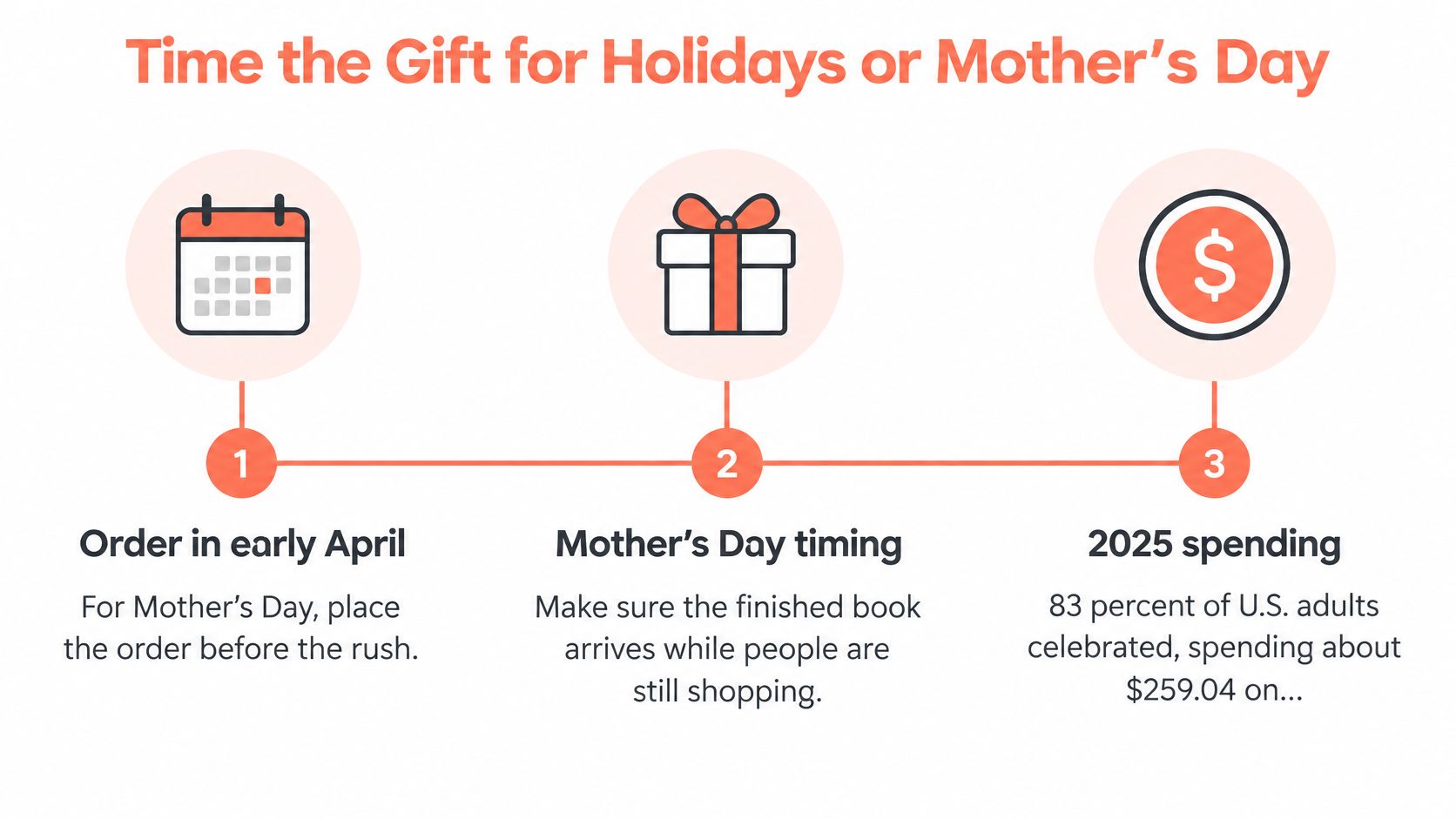
Make the handover personal
Wrap the book in a plain sleeve or kraft paper so the cover becomes the reveal. Write a card naming the years inside and a particular ordinary memory, such as that rainy grocery trip. Package it the night before, while you still have time to notice a missing card or damaged corner.
For a silver-anniversary celebration, you might also explore silver anniversary jewelry ideas from ECI Jewelers if the recipient would appreciate something wearable. Keep the book's role distinct: it explains the shared life behind the occasion.
Custom Photo Blankets offer another way to use a favorite image for someone who enjoys keepsakes on the sofa. Choose a strong hero photograph or an uncluttered collage, avoid tiny lettering, and make names and anniversary years easy to read. Give complementary keepsakes together, while keeping the digital master safely stored at home.
That Blanket Co offers Custom Photo Blankets in throw, twin, and queen sizes, with collage and all-over photo designs that can complement your anniversary book. Visit That Blanket Co to upload your favorite photograph, choose a layout, and create a comfortable keepsake to give alongside the story you've preserved.